GitHub
How to manage access to GitHub identities using Ploy.
Written By Seb Pace
Last updated 28 days ago
Introduction
GitHub often presents a unique challenge when it comes to granting & revoking access, because engineers typically use their personal GitHub usernames. This article explains how Ploy overcomes this challenge to make access management seamless for GitHub users.
Note: This requires you to integrate Ploy<>GitHub first.
Associating GitHub Usernames<>Employees
Because engineers tend to use their personal GitHub accounts, granting/revoking access is often difficult because it’s not easy to tell which GitHub account is associated with which team member.
Ploy can help associate GitHub accounts with employees in two ways.
1 - Luna AI
You can ask Luna to help Associate GitHub accounts with the right employee, and she’ll recommend associations as you can see below.
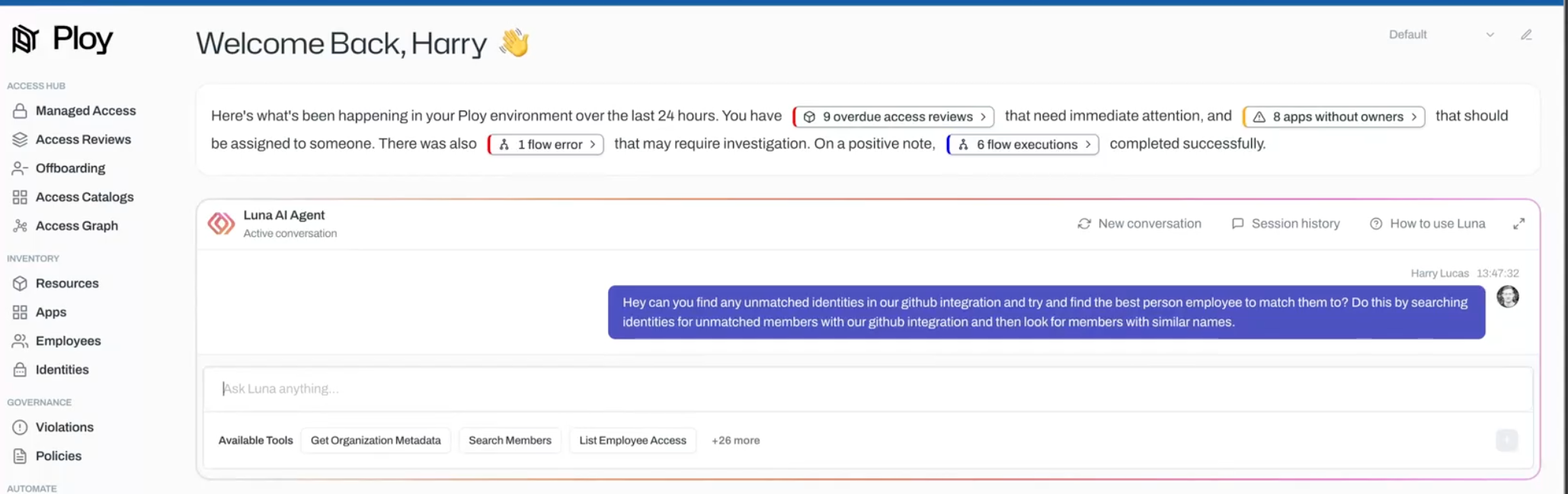


2 - Manual Association
Through the Identities page, you can also associate GitHub accounts to team members manually. This then means Ploy will be able to automatically grant/revoke access going forwards as we will know which GitHub account to manage access to.

Employee Onboarding
When an engineer joins the business, a simple flow like the one below will automatically add the new member to the company GitHub account.

It also means that Ploy will know which personal GitHub username is linked to which employee, which means account removal can also be automated at Offboarding.
Employee Offboarding
When an employee leaves the business, Ploy can then automatically revoke their access to the company’s GitHub account.
