
Managing Entitlements
Overview
Entitlements are the roles or permissions a user has within an application — things like "Admin", "Member", "Viewer", or "Billing". Defining entitlements in Ploy lets you:
Track not just who has access, but what level of access they have
Review and approve specific permissions during access reviews
Auto-assign roles based on IdP group membership
Creating Entitlements
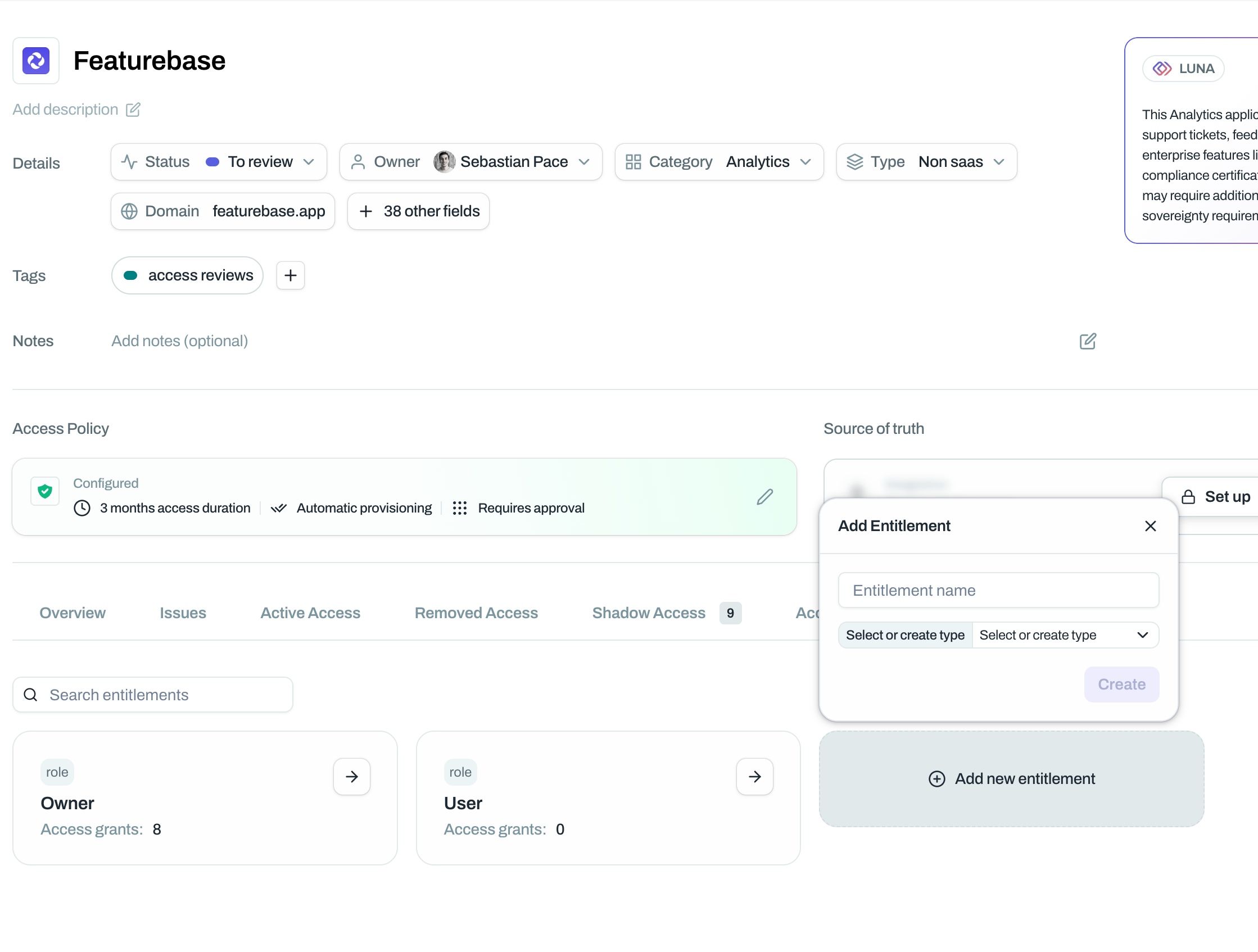
Ploy will automatically try and pull in and detect as many entitlements as possible from integrations and other sources. However you also have the option to manually create them.
Navigate to the application page
Find the Entitlements section
Click Add to create a new entitlement
Enter the entitlement name (e.g. "Admin", "Member", "Read-only")
Click Save
Repeat for each role or permission level the application supports.
Assigning Entitlements to Users
Once entitlements are created, you can assign them to users:
Navigate to the application's user list
Click on a user row or use the View Details panel
Select the appropriate entitlement(s)
Auto-Assigning Entitlements via Source of Truth
The most powerful way to manage entitlements is to assign them automatically based on source of truth membership.
Example: Anyone in the "Engineering" IdP group automatically gets the "Admin" entitlement in GitHub.
To set this up:
Go to the application's Source of Truth settings
Edit or add a connector resource source
In the Entitlements dropdown, select the entitlement to assign
Save
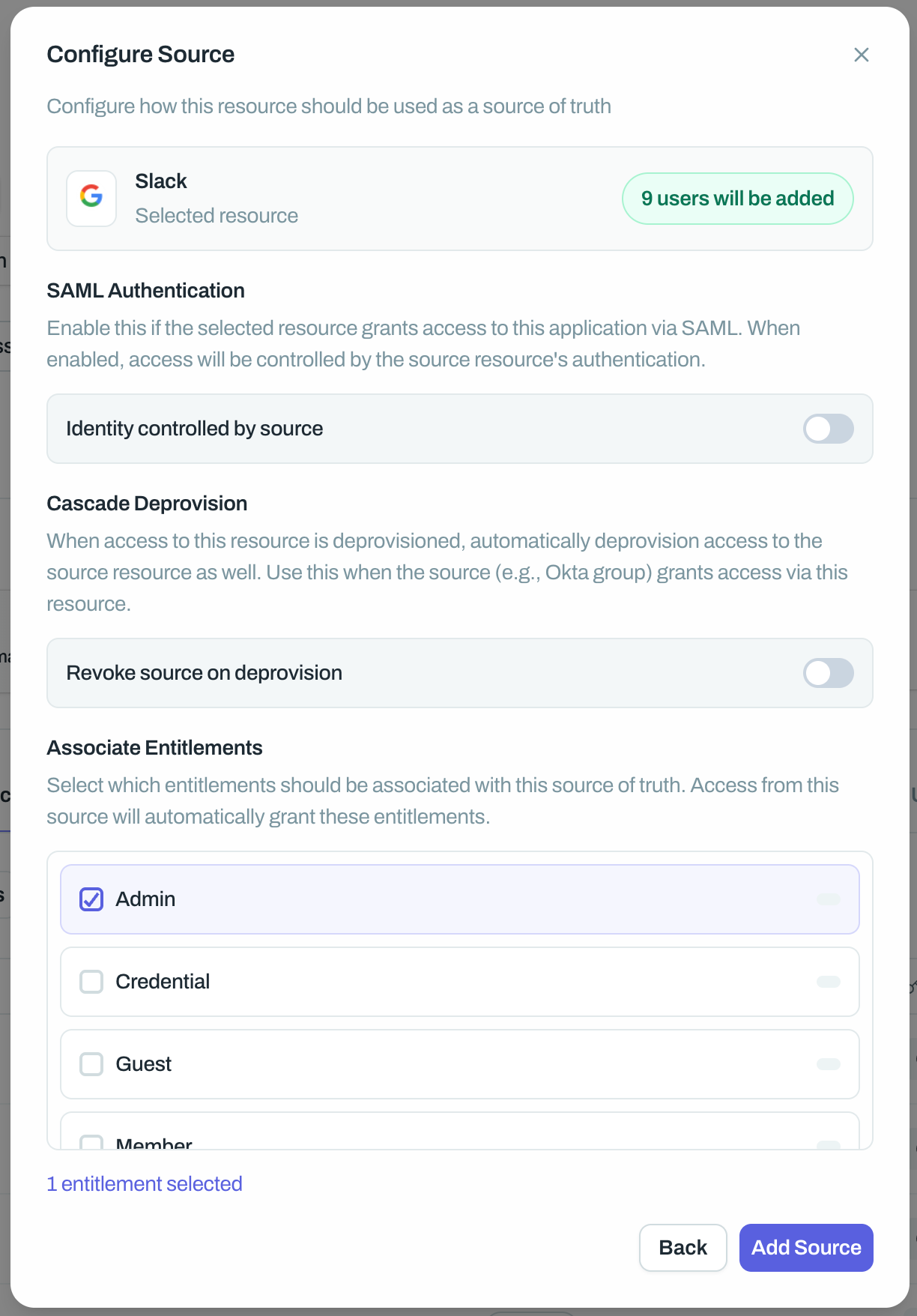
Now, anyone added to that source of truth will automatically receive the specified entitlement.
Multiple Groups, Multiple Entitlements
Use multiple sources of truth with different entitlement assignments:
Source of Truth | Entitlement |
"DevOps" group | Admin |
"Engineering" group | Member |
"Contractors" group | Read-only |
Entitlements in Access Reviews
When you run access reviews, reviewers will see entitlements alongside user access. This allows them to:
Approve the user's current entitlement
Modify the entitlement (e.g. downgrade from Admin to Member)
Revoke access entirely
See Entitlements in Access Reviews for more details.
Best Practices
Mirror your application's actual roles — Name entitlements exactly as they appear in the application to avoid confusion.
Start simple — You don't need to model every permission. Start with 2-3 key roles (e.g. Admin, Member) and expand if needed.
Use auto-assignment where possible — Linking entitlements to IdP groups reduces manual work and keeps permissions consistent.