Home Contact us
Dashboard
Changelog
Luna
Generate automation flows with Luna AIManage Luna AI persistent memoryWhat are Luna playbooks?Artifacts
Resources
Setting Up a Source of TruthManaging EntitlementsImporting UsersAccess PolicyUnderstanding Access TypesPrimary Owners vs. OwnersWhat is Managed Access?Bulk Entitlement ImportView transitive access for resources
Access Reviews
Automatic access reviewsNotification SettingsDefining scope in an access review
Workflows
Actions
Triggers
Introduction to Workflows
Integrations
Ticketing Systems
Infrastructure
HRIS
Communication
Workspace & Identity
Anthropic Integration
Notifications
Daily reminders
Offboarding
Create an Immediate OffboardingOffboarding Overview
Settings
Understanding Ploy Permissions and Roles
Browser Extension
FAQ's
FAQ - How do I enable the website Blocking feature?FAQ - What is the 'My Resources' tab in the Browser Extension?
Setup
Browser Extension
Employees
Profiles
FAQ's

FAQ - How do I enable the website Blocking feature?

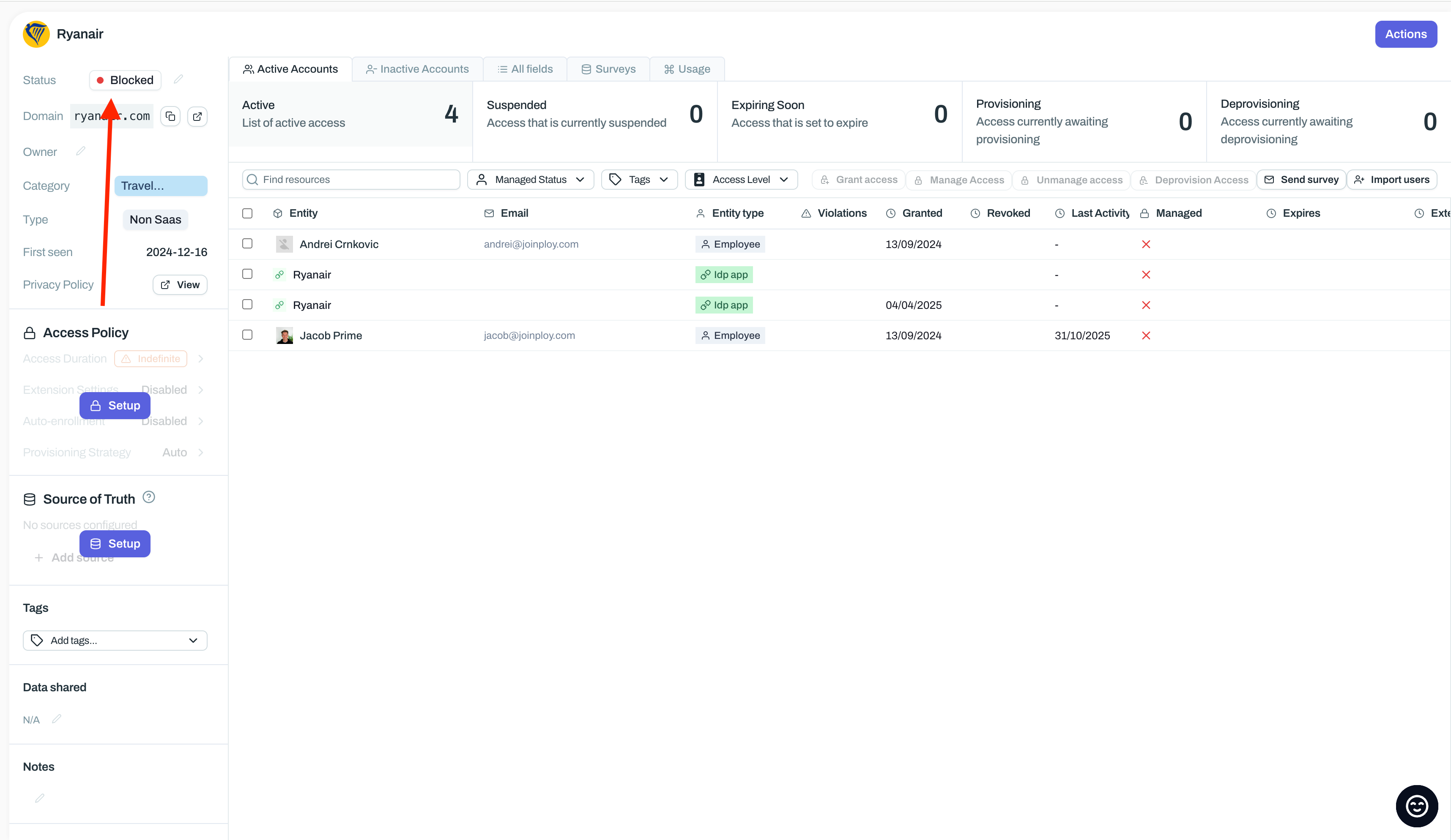
  1. In Ploy, navigate to the application you want to block

  2. Update the App Status to Blocked

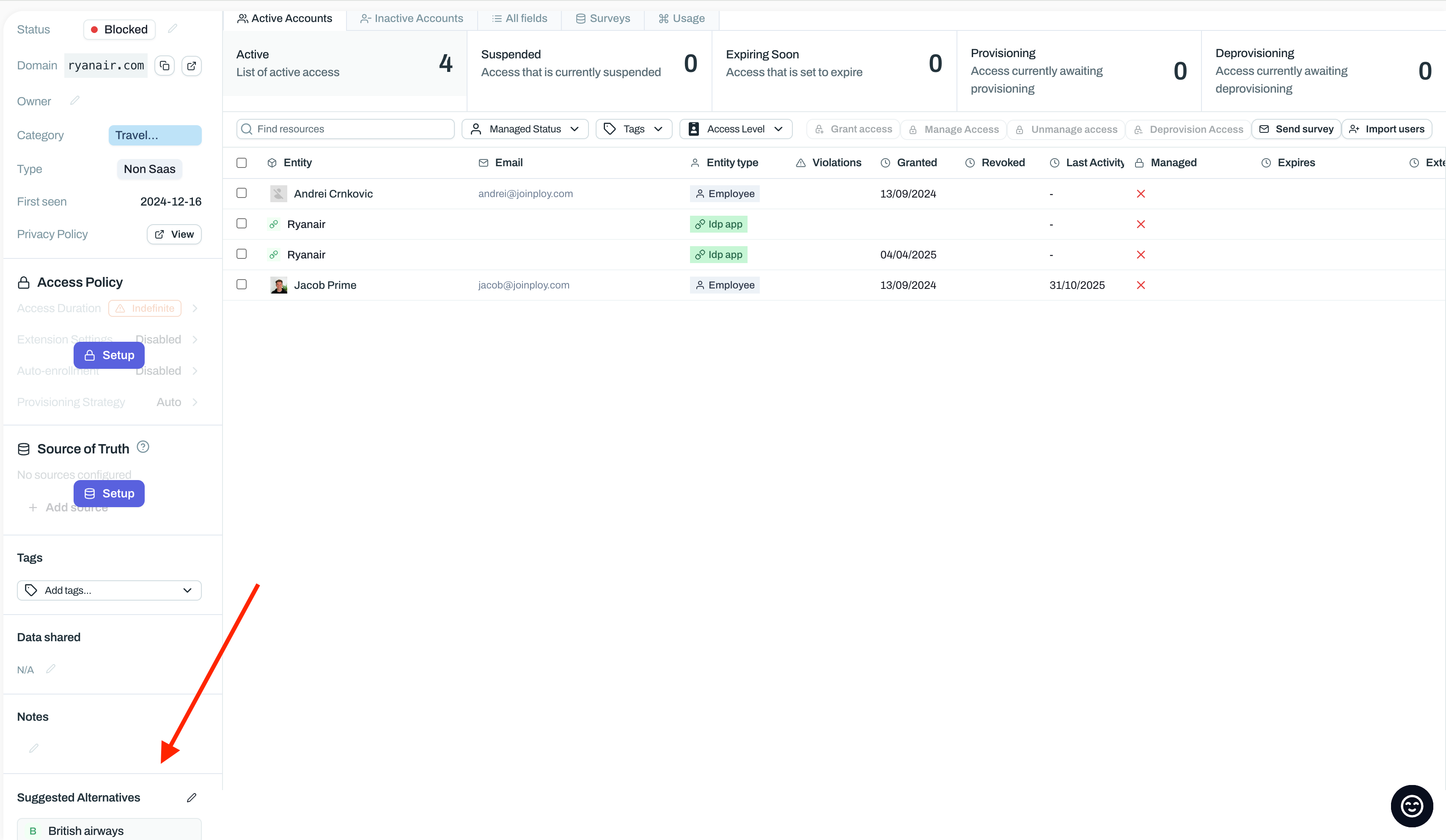
  1. Optionally, configure ‘Suggested Alternatives’.
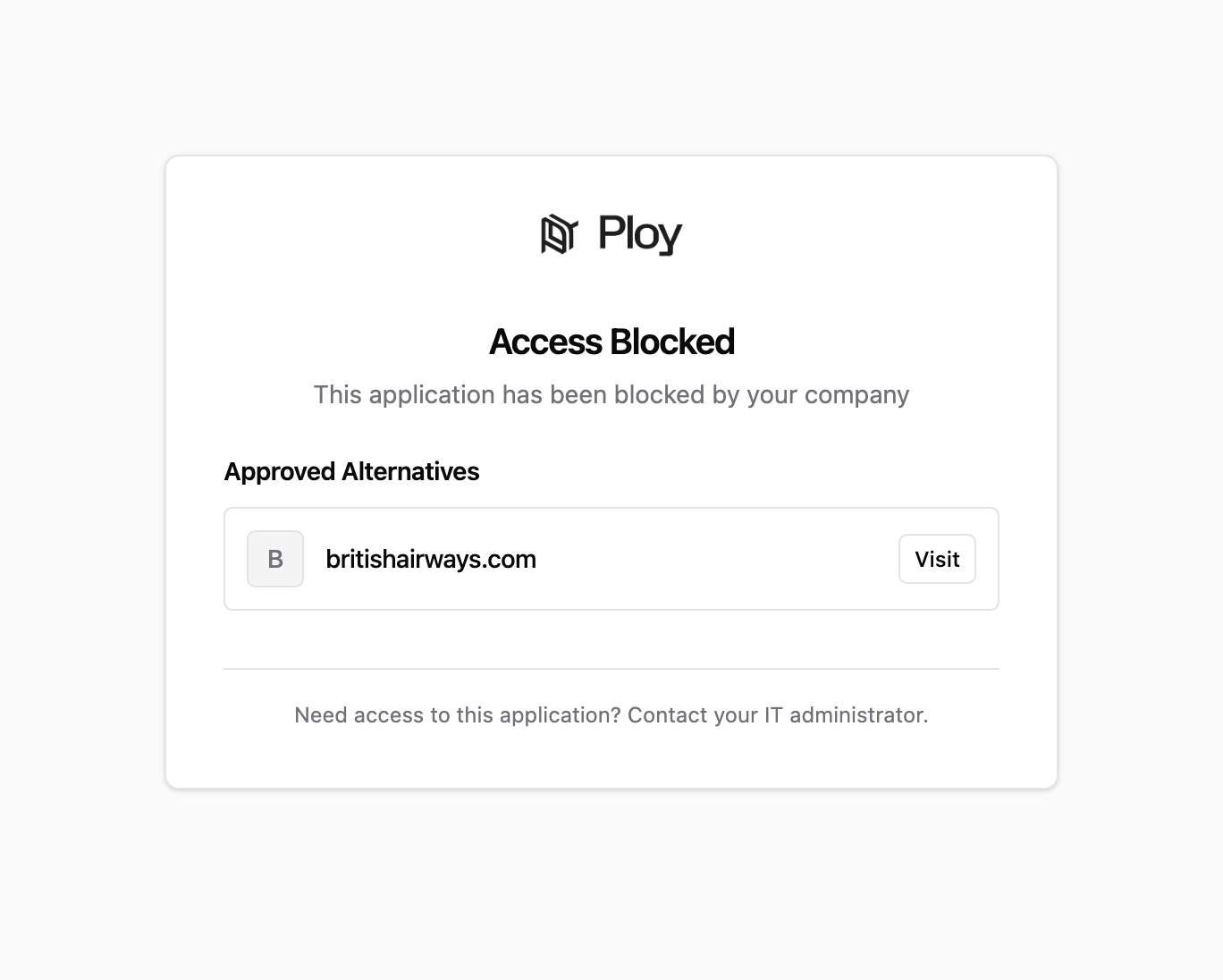
  1. Wait ~15 minutes

  2. The website should now be blocked.

Was this helpful?
Was this helpful?