
View transitive access for resources
Transitive access shows users who have indirect access to a resource through groups, roles, or nested permissions—rather than direct assignment. This helps you audit inherited permissions and identify privilege creep from nested access chains.
You'll find transitive access on any resource detail page under the Active Access tab.
View transitive access
Navigate to Resources and select the resource you want to audit.
Click the Active Access tab.
Click Transitive to see indirect access paths. The button shows a count of users with transitive access.
The table displays:
Entity: The user with transitive access
Identity: Their identity provider account
Path: The access chain showing how they inherit access (e.g.,
resource > role > group)
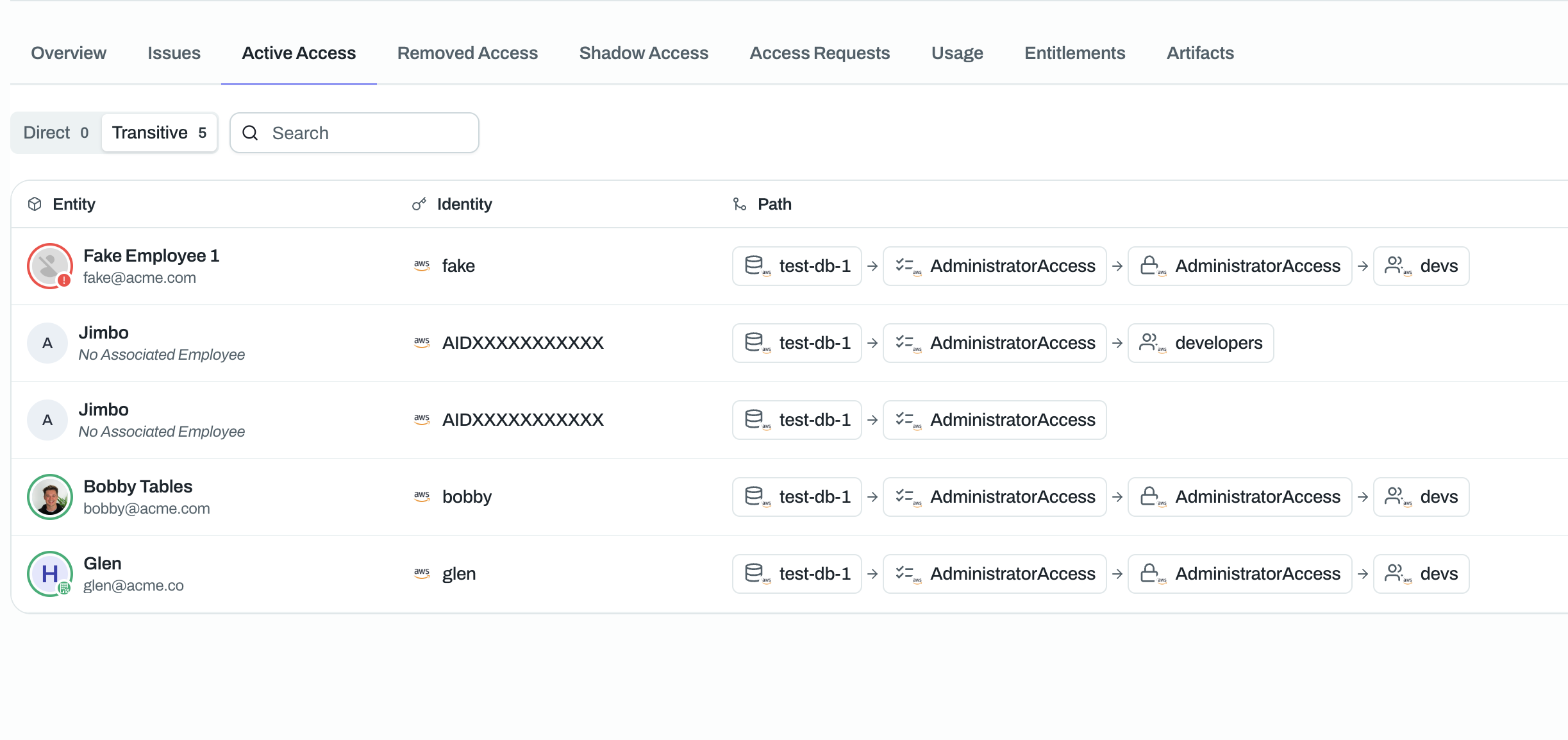
Direct vs. transitive access
Use the Direct and Transitive buttons to toggle between views:
Direct: Users explicitly assigned to the resource
Transitive: Users who inherit access through groups, roles, or nested permissions
A resource with 0 direct access but multiple transitive access entries suggests all permissions come from group memberships or role assignments.
Use cases for auditing
Review transitive access to:
Identify over-privileged users who inherit high-level permissions from group memberships
Prepare for compliance audits (SOC 2, ISO 27001) by documenting all access paths
Detect privilege creep from nested groups or roles that grant broader access than intended
Plan access reviews by understanding which groups or roles drive the most transitive access
Transitive access often reveals hidden risks. A user in a developer group might transitively access production databases through nested role assignments.
Related articles
See Understanding Access Types for more on active, removed, and shadow access categories.