
How to request access with the Browser extension
Use the browser extension to request app access without leaving your browser. You can request access from the Home tab, the Catalog tab, or the Frequent requests section.
For a broader product overview, see Browser extension v2.
Request access from the catalog
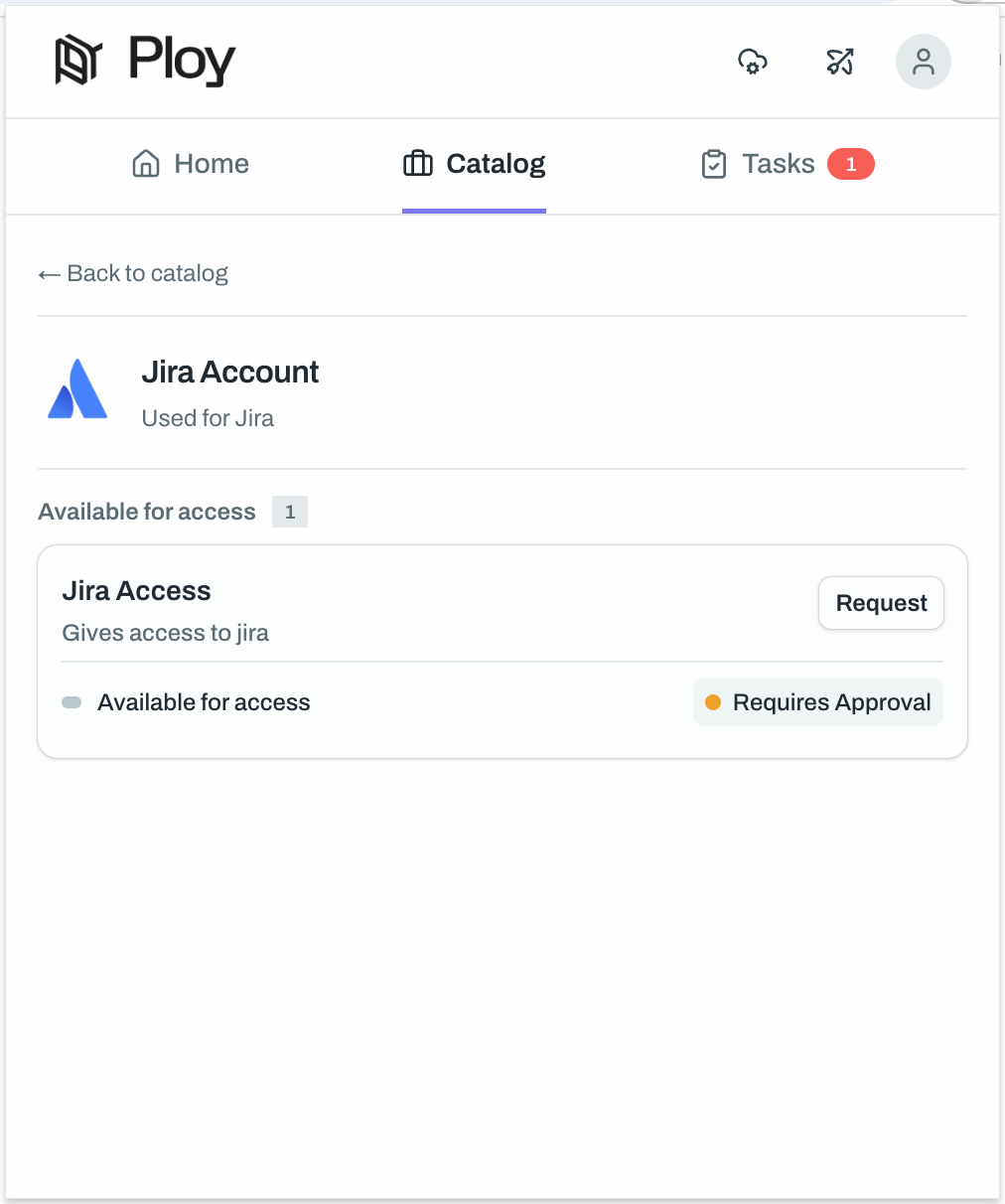
Open the browser extension and go to Catalog.
Search for the app you need.
Open the app card.
Click Request next to the access item.
Choose request details
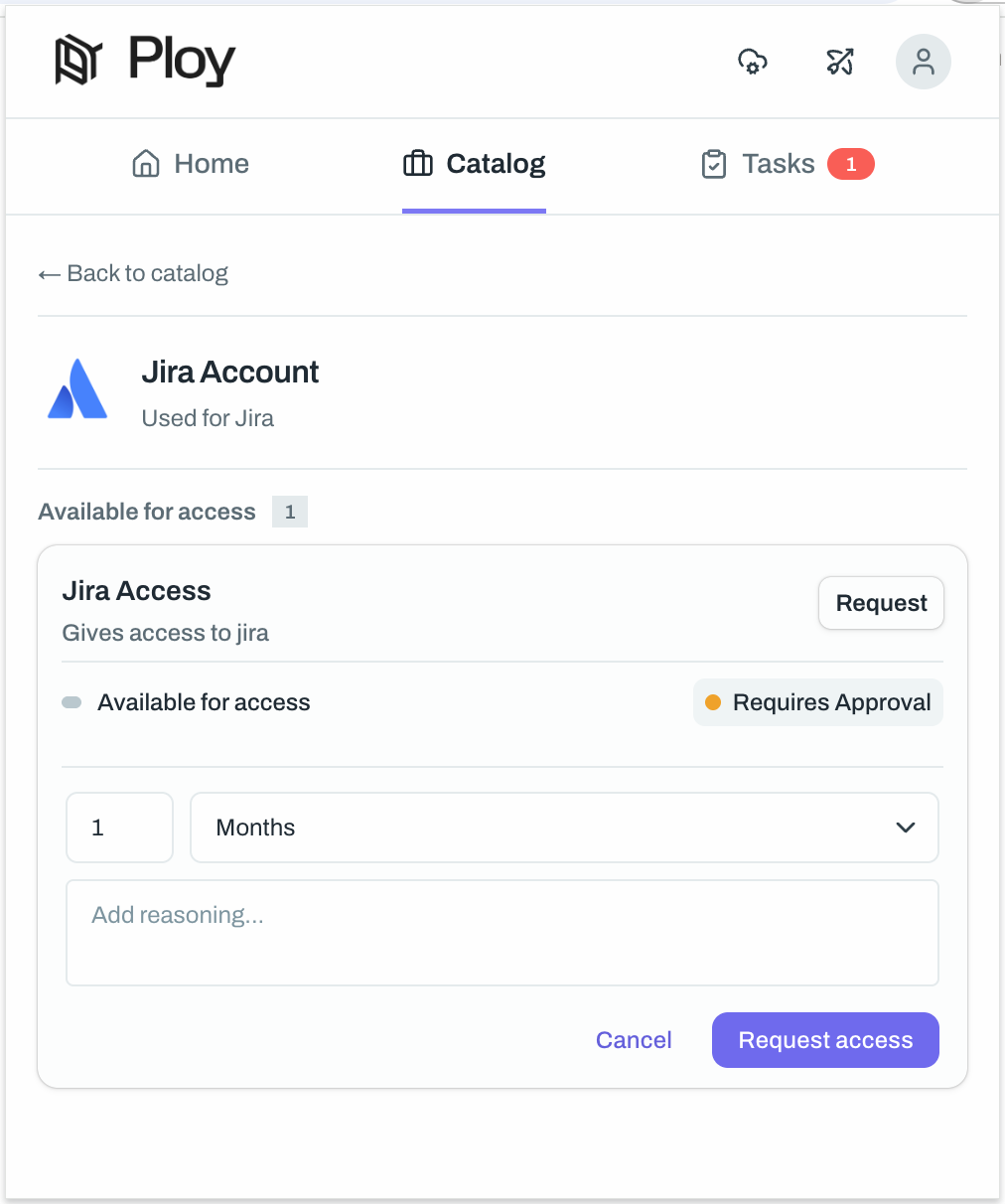
If the access item requires more information, select the access duration and add a reason for the request.
Select a duration, such as 1 Month.
Add reasoning if your team requires it.
Click Request access.
Track the request
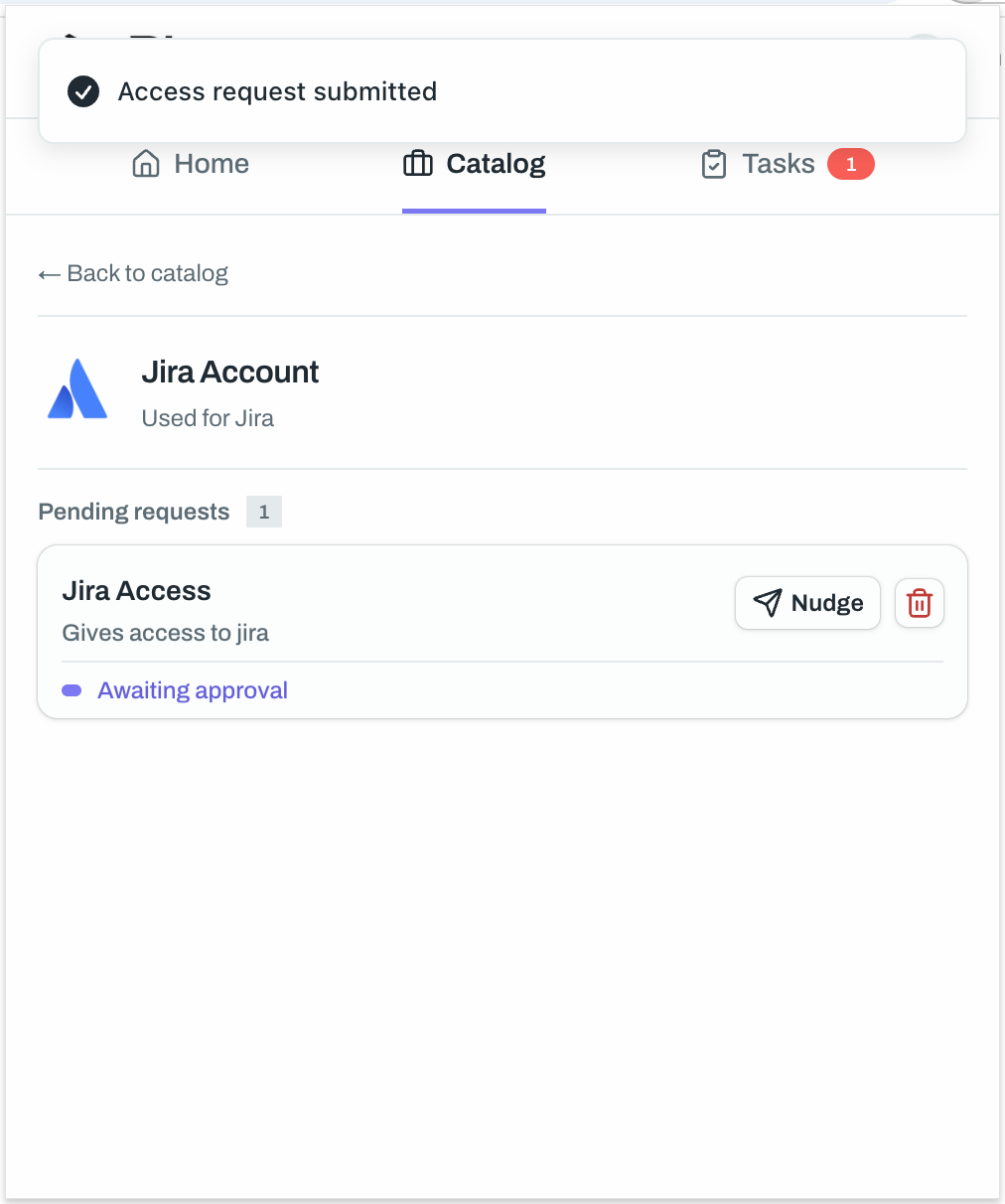
After you submit the request, the extension shows the request status in the same app view. If approval is still pending, you can nudge the approver or cancel the request.
Use frequent requests
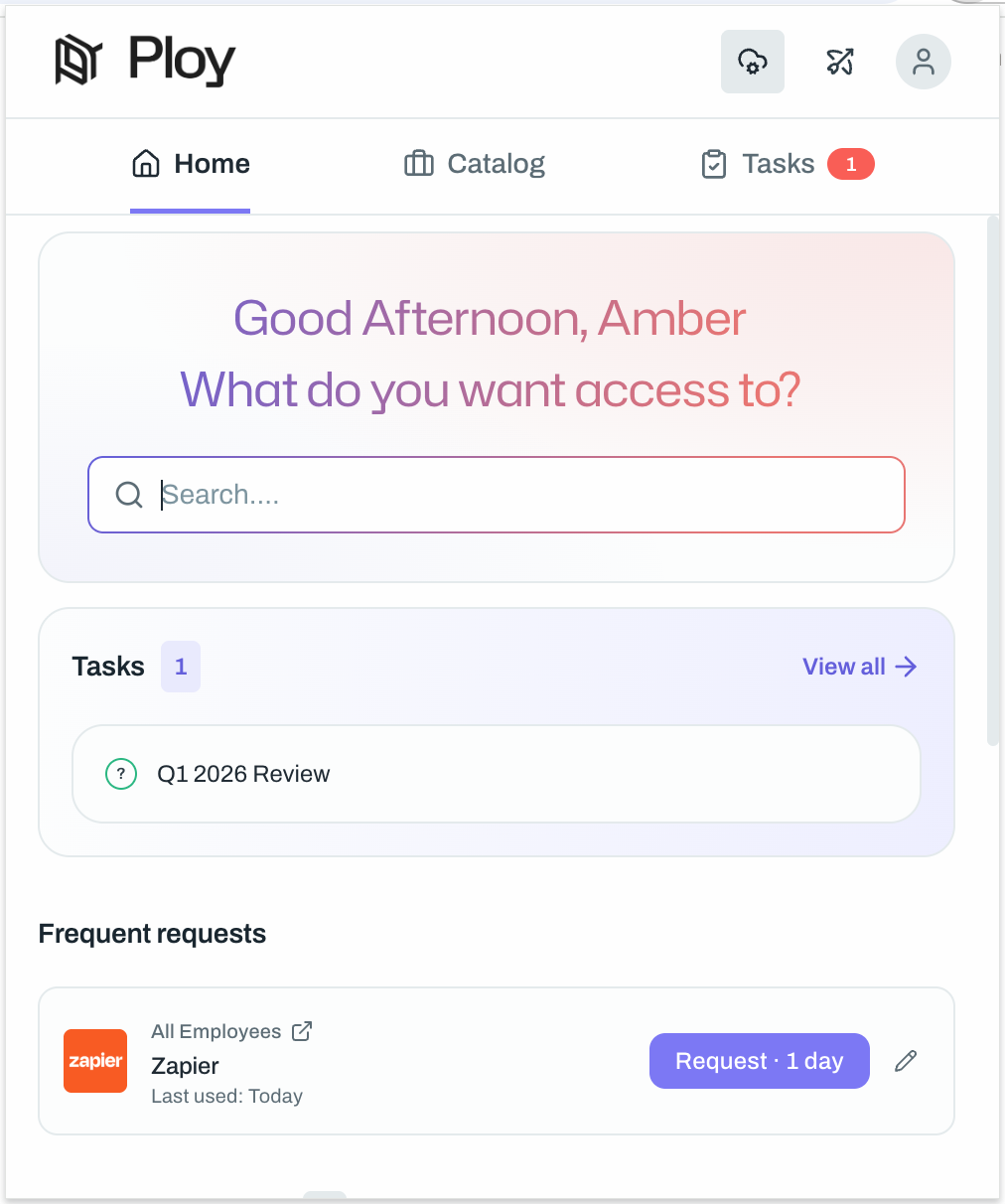
If the app appears under Frequent requests on the Home tab, you can request it directly from there. This is the fastest way to request tools you use often.
If you want to understand the rest of the extension, see Browser Extension and FAQ - What is the 'My Resources' tab in the Browser Extension?.