
FAQ - How do I enable the website Blocking feature?
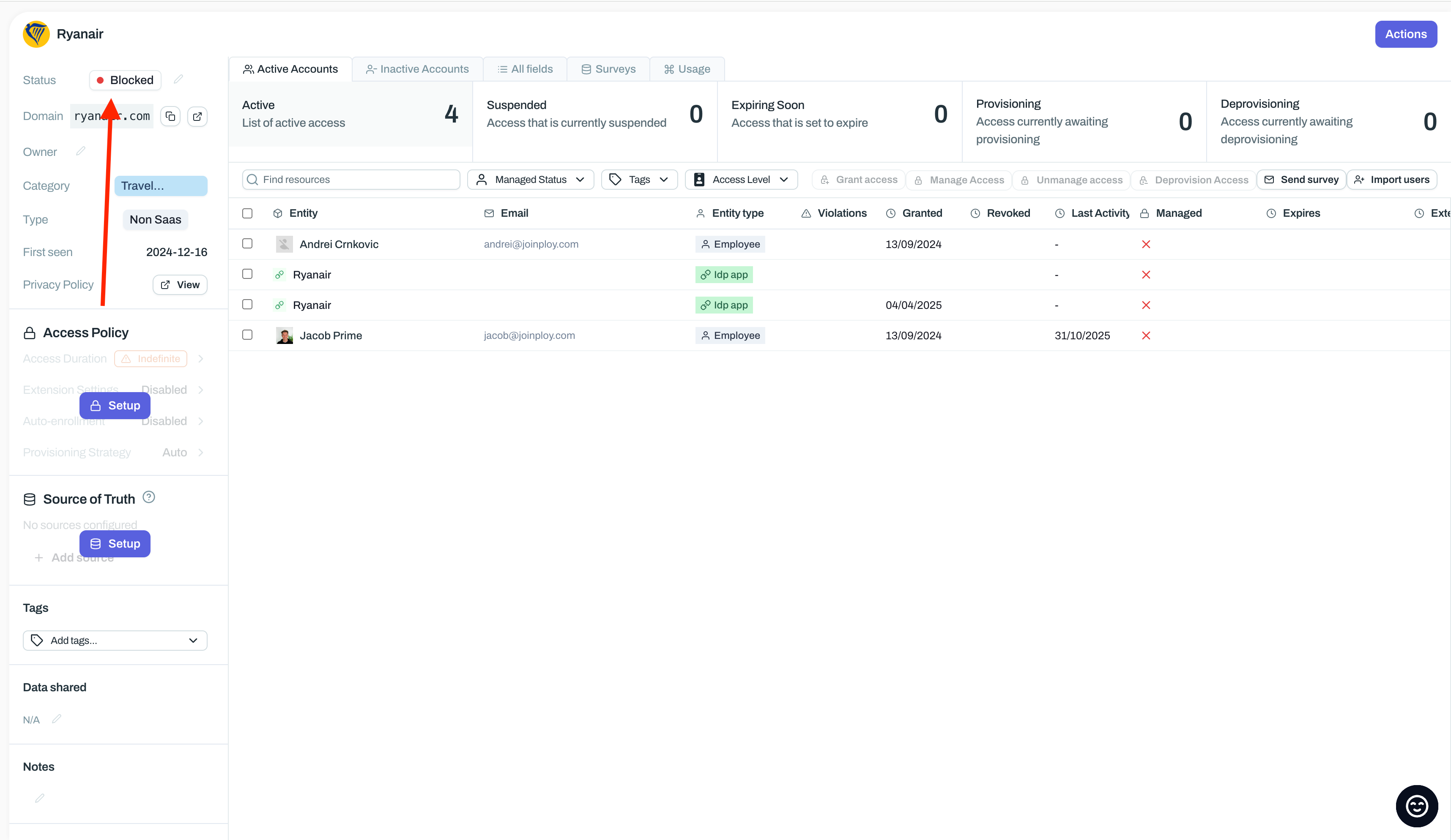
In Ploy, navigate to the application you want to block
Update the App Status to Blocked
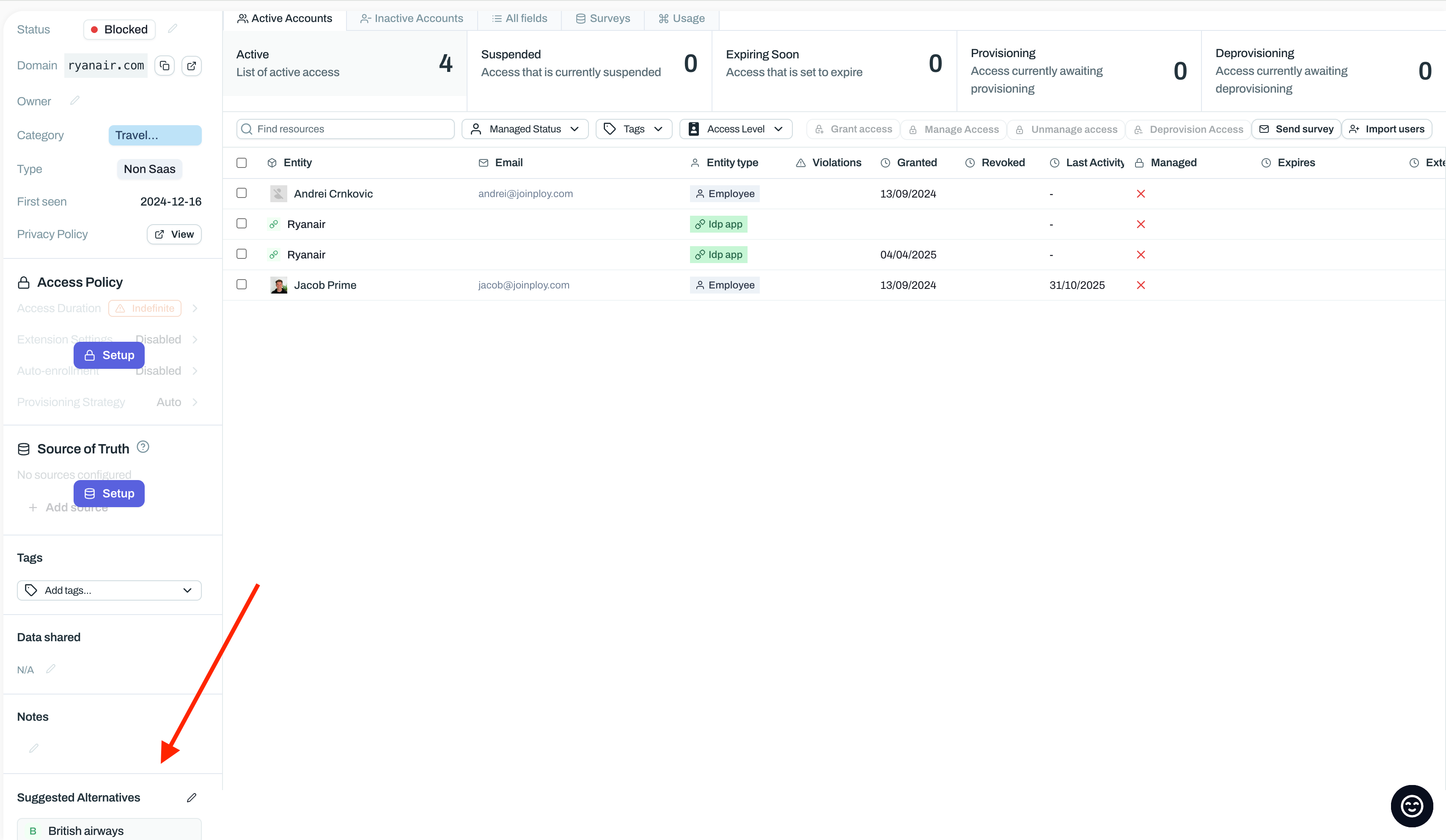
Optionally, configure ‘Suggested Alternatives’.
Wait ~15 minutes
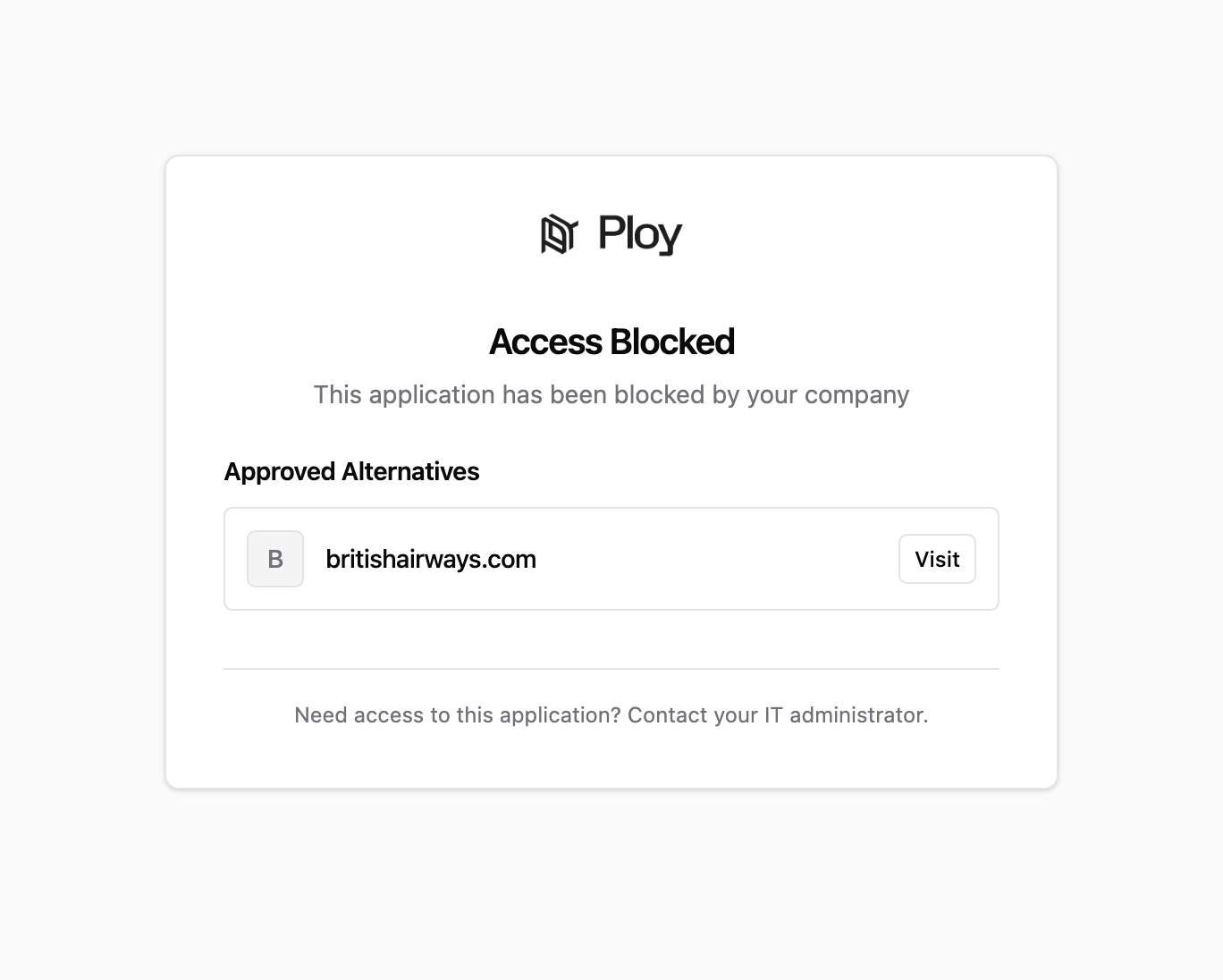
The website should now be blocked.
Was this helpful?