
HiBob
Use the HiBob integration to sync employee data into Ploy so you can drive onboarding, role changes, and offboarding from your HRIS.
How to integrate with HiBob
In Ploy, go to Integrations.
Click Configure under HiBob, then follow the setup instructions. Use the HiBob documentation linked at the top of the setup flow if you need help creating API credentials.
Use the HiBob service user ID as the username in Ploy.
Create the service user from an admin account with the required permissions.
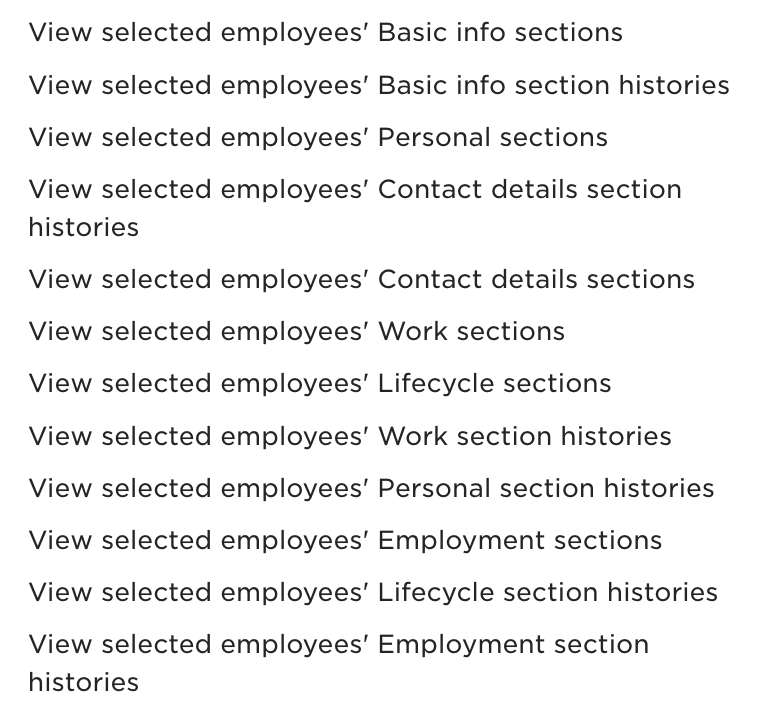
In HiBob, grant Ploy the required permissions.

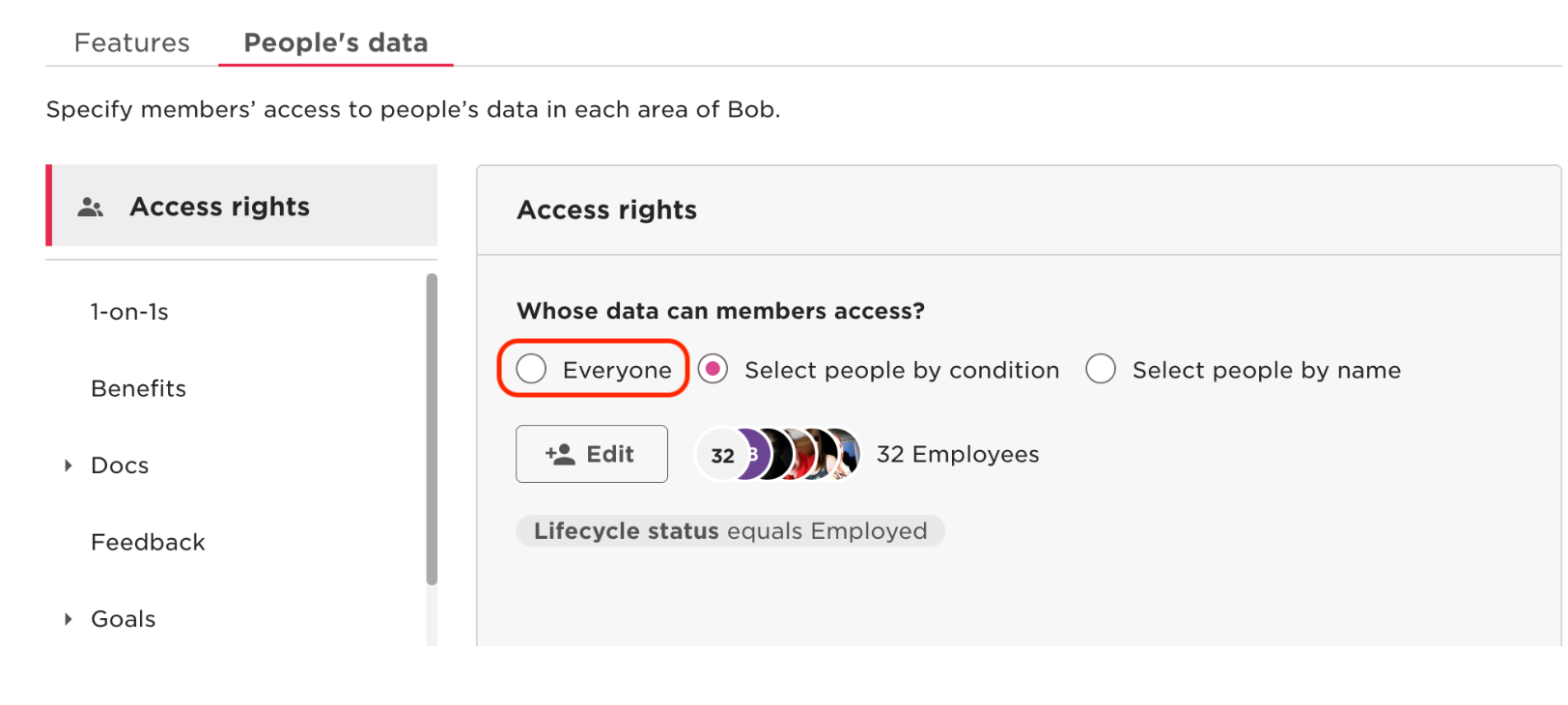
In HiBob, make sure the service user has access to Everyone.
Integration Overview
Ploy connects to HiBob through a service user account with API credentials: a service user ID and token. An admin must create the service user and give it access to the full employee directory by granting access to Everyone.
Permissions requested
The service user needs read access to the People module in HiBob. It also needs field-level permissions so Ploy can read employee profile data, organisational structure, and employment status.
Data accessed
Ploy can read employee records from the HiBob search API, including:
Employee ID
Work email
First name
Surname
Department
Manager email or ID
Start date
Site or location
Job title
Lifecycle status
Termination date
Active status
Payroll employment type
Personal email, when configured
Any mapped custom columns across work, home, root, financial, and about categories
Ploy also reads company named lists to resolve values such as departments and job titles, and company people field definitions to support custom field mapping during setup.
Ploy uses HiBob as a source of truth for identity lifecycle events such as onboarding, role changes, and offboarding. Related workflows include Employee Field Changed and Offboarding Overview.