
Setting up Jira service management for access requests
Summary
Integrates Ploy access requests with Jira service management
Two main capabilities
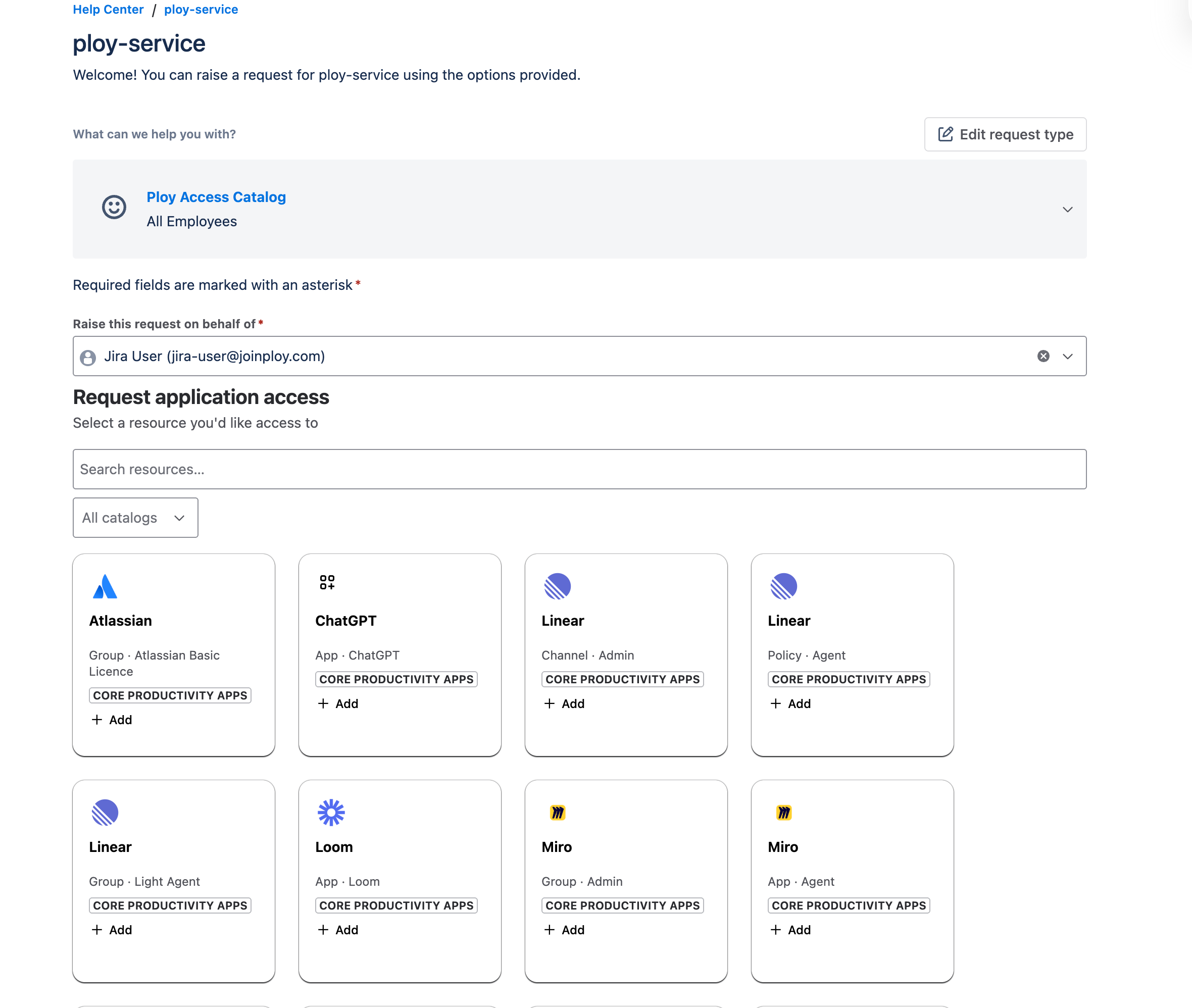
Create Ploy access requests from Jira service mangement portal
Create jira tickets from access requests made directly through Ploy (ie not through the jira service management portal)
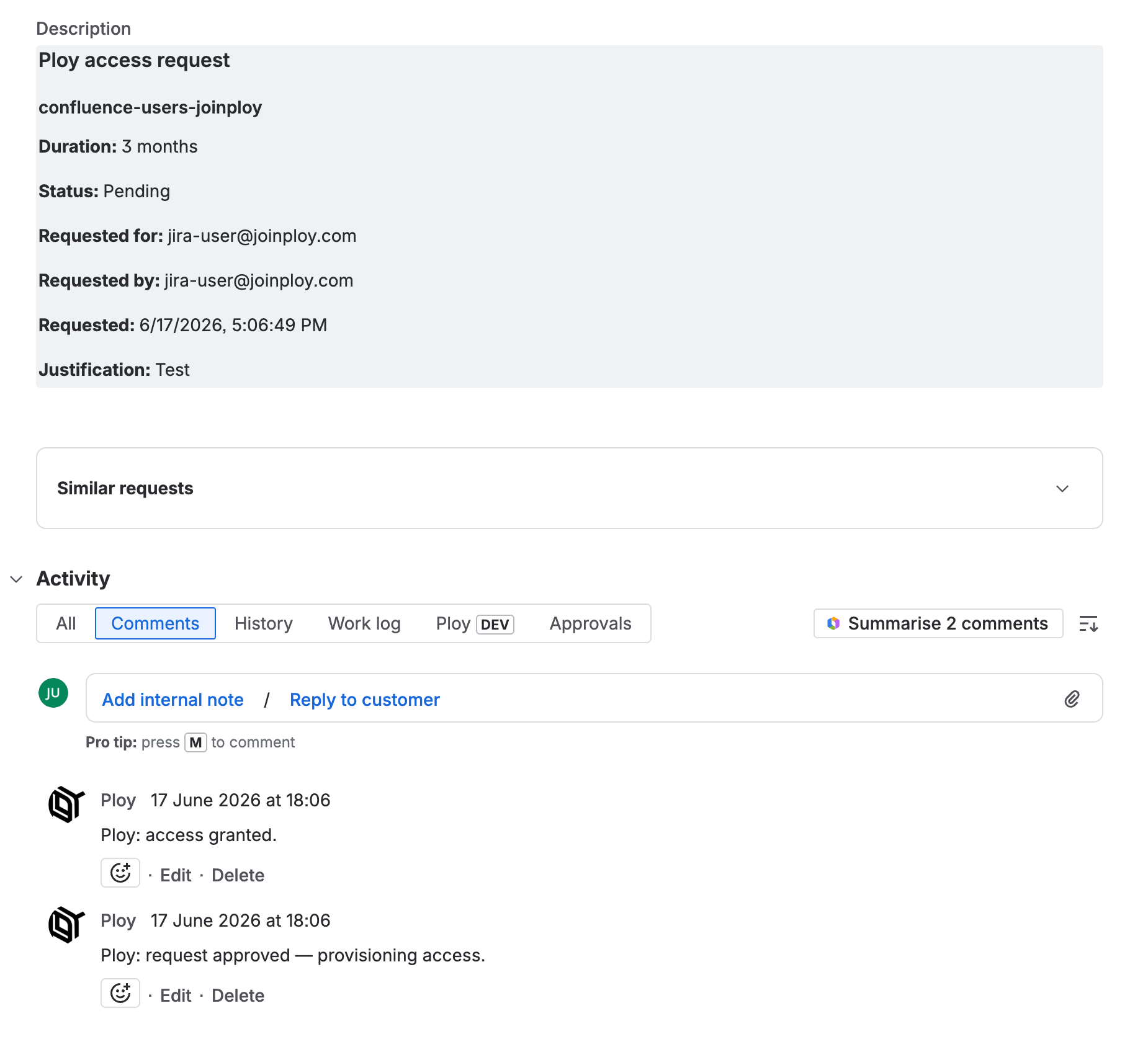
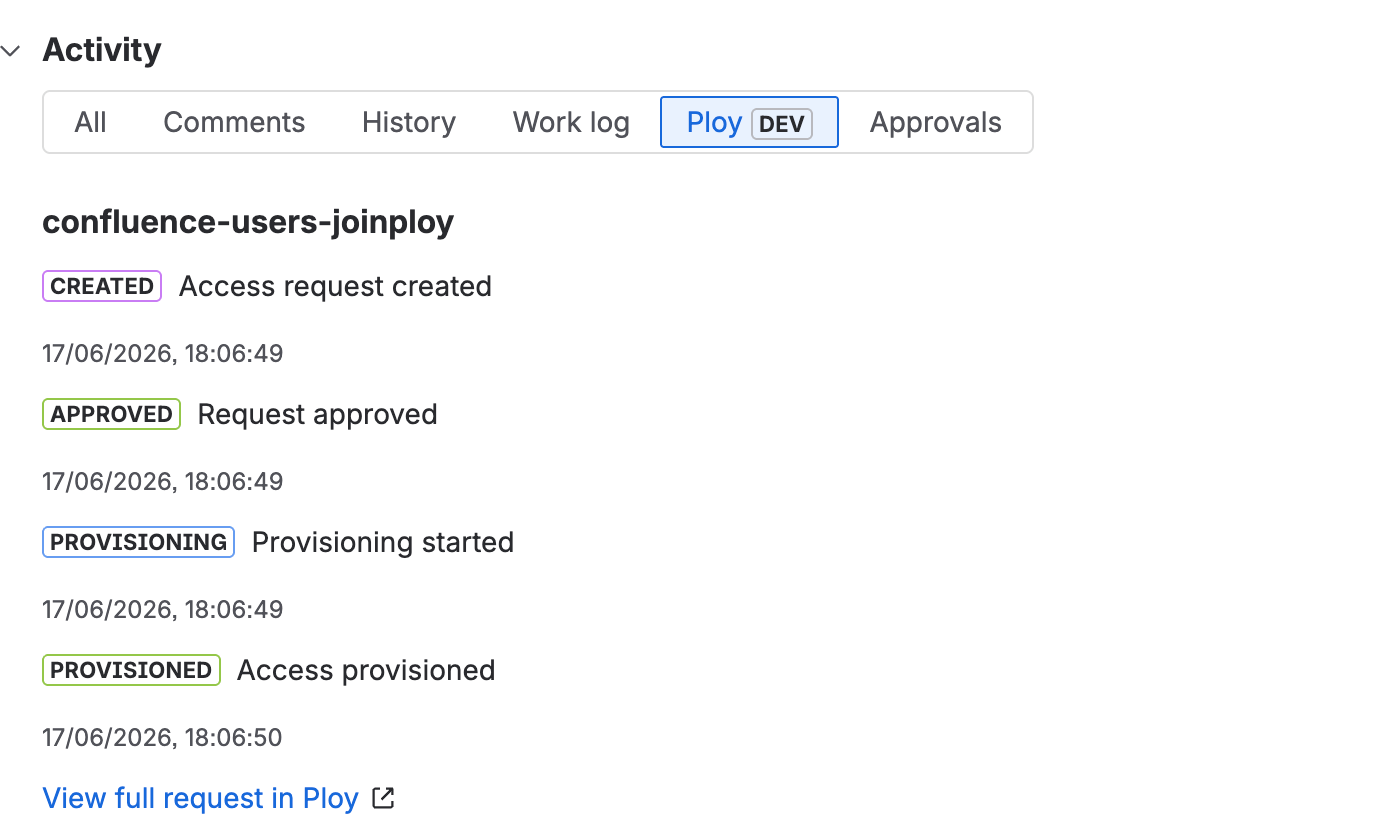
In both modes Ploy will keep the tickets up to date with comments and apply status transitions according to the configured status mappings
Installation
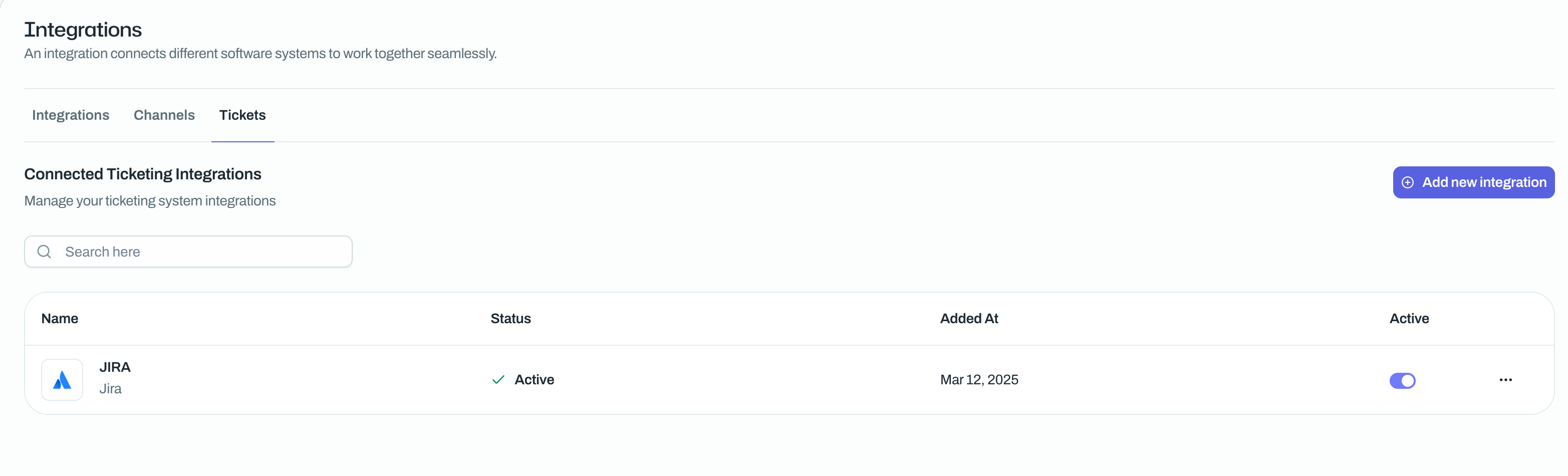
Add the Jira ticketing integration in the Ploy admin console and set up relevant mappings
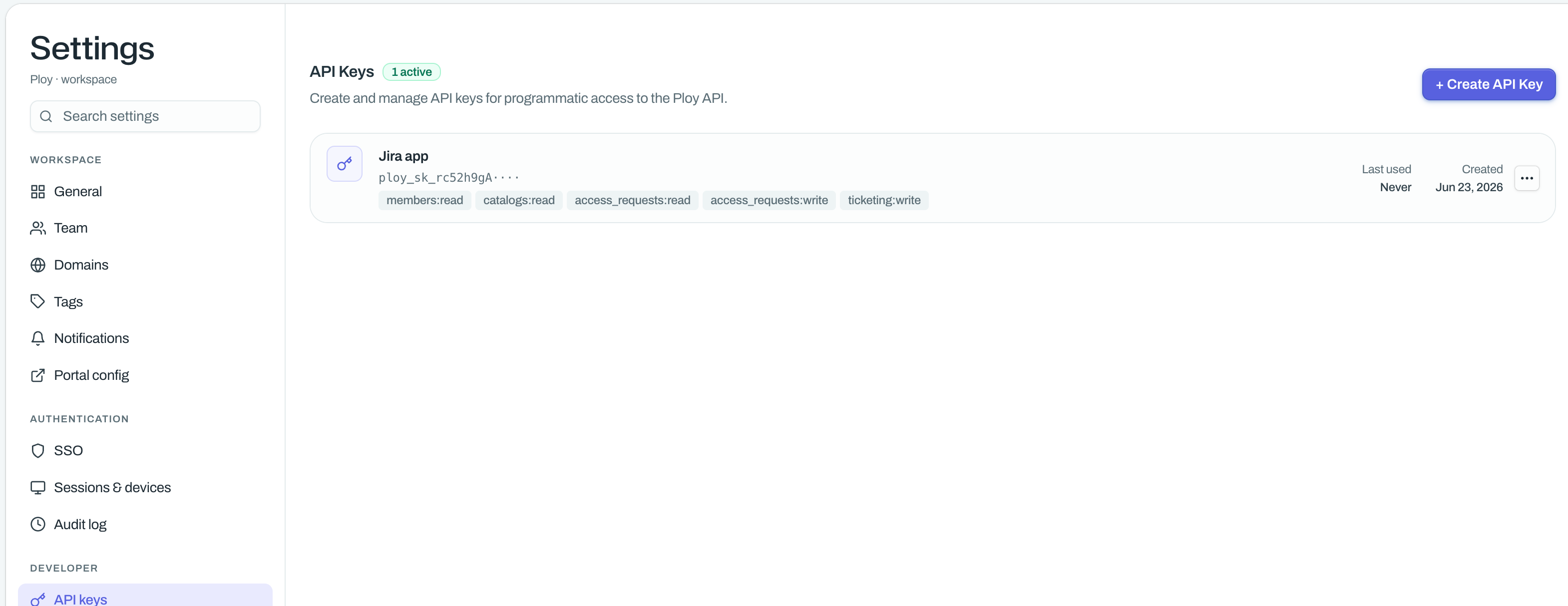
Create an API key in Ploy with the following scopes:
members:read
catalogs:read
access_requests:read
access_requests:write
ticketing:write
Install the Ploy Jira app using this link
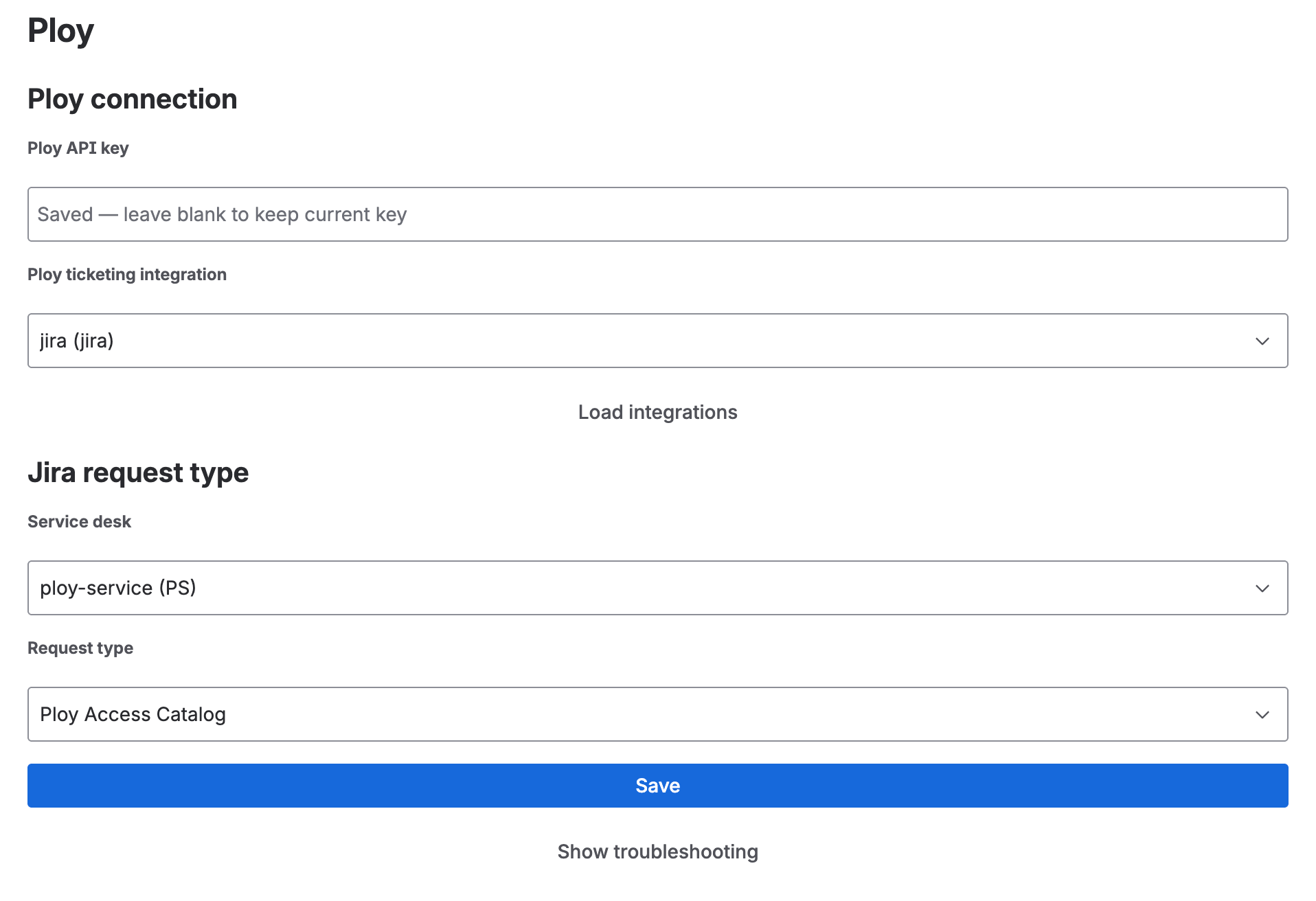
Go to the configuration page for the Ploy jira app
Jira → Settings (top right cog) → Marketplace Apps → Find Ploy in list → 3 dots → Configure
Configure the Ploy jira app
Enter the API key you created in step 2
Select the ticketing integration you created in step 1. Press the Load integrations button if it doesn’t show up automatically.
Select which Jira service desk and Jira Request type which will be used for the Ploy access requests
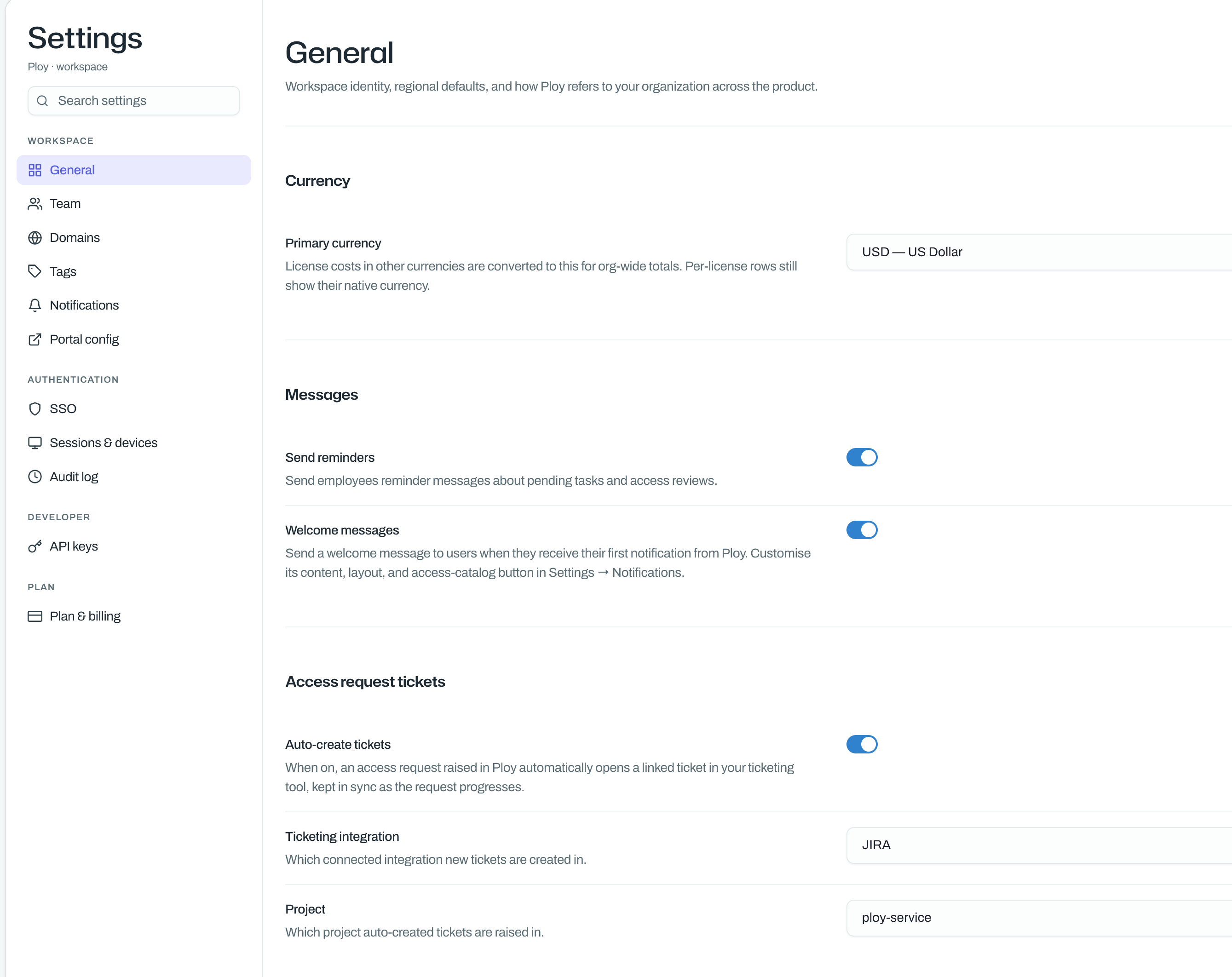
(Optional) Enable automatically creating Jira tickets for access requests made using Ploy directly
Screenshots of usage
Creating a Ploy access request from Ploy
Notes
Relevant status transitions need to be defined in Jira for Ploy to automatically transition tickets
eg Open → TODO., TODO → Pending, Pending → Done, Pending → Closed