
Policy history and audit
Every policy carries its own record: who wrote it, every edit since, the access it caused, the contradictions people made against it, and the requests it decided. This article shows where each part lives when an auditor, or a colleague, asks you to account for a decision.
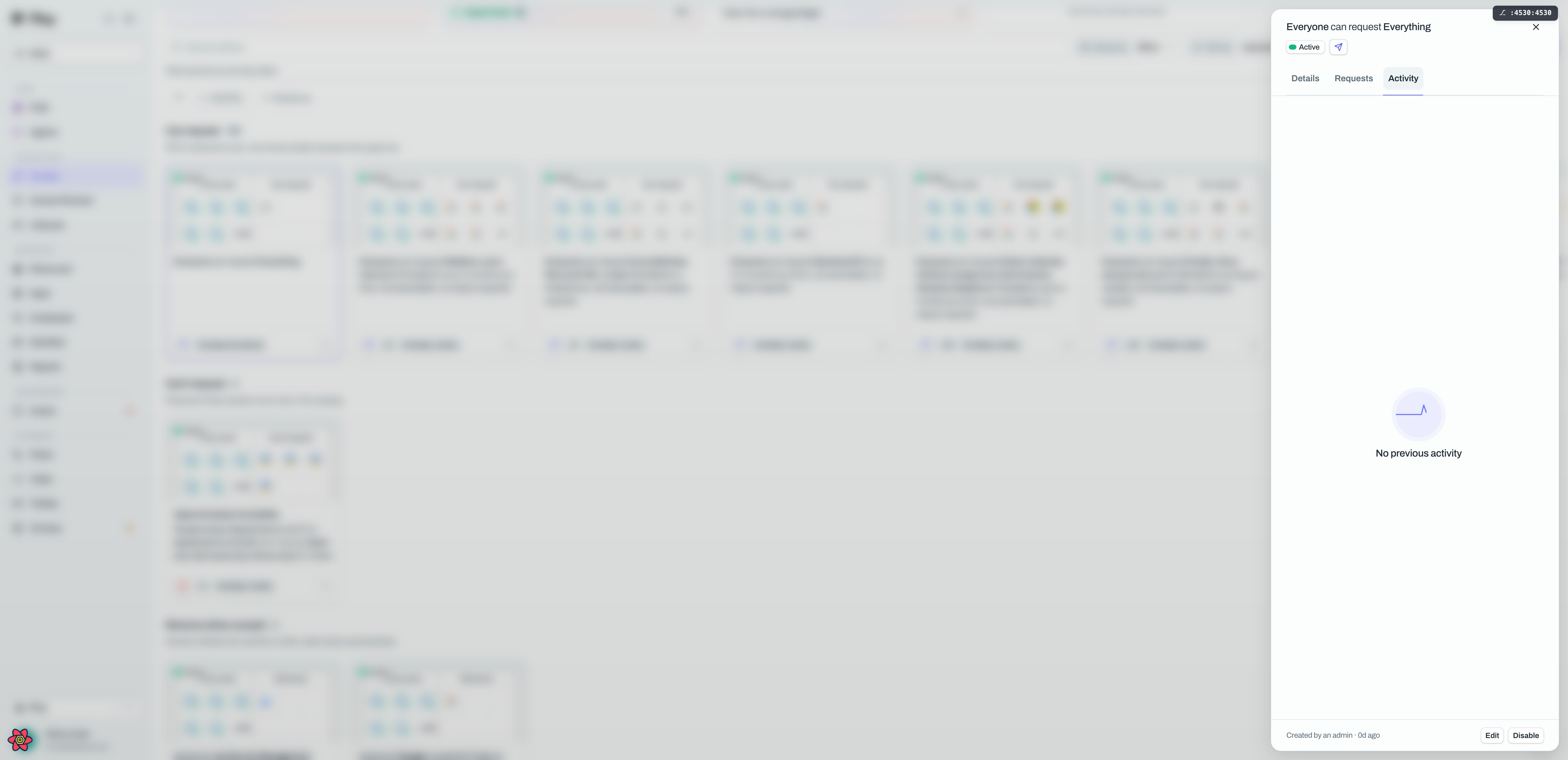
Who wrote it
Open any policy and read the footer line at the bottom of the drawer. It names the origin and the age of the policy:
"Created by {name}" for a policy a person wrote by hand. On the screenshot above it reads "Created by an admin".
"Written by Luna" for one Ploy's assistant proposed.
"Promoted from your approvals" for one Ploy assembled after your team approved the same access for several people individually.
A policy written through the API names no person. Its origin is recorded as the API instead, because an API key is not somebody.
The Activity tab
The Activity tab is offered on every policy and is the single chronology for that policy. It merges:
the policy's own edits, including the moment it was created,
the access it caused,
the manual contradictions people made against it,
and the requests it decided.
A policy nothing has happened to yet shows an empty state reading "No previous activity."
The Requests tab
A Can request or Can't request policy also gets a Requests tab. Its helper line says which of the two you are reading: "Requests this policy decided." or "Requests this policy refused."
Each row names the requester, the target, the outcome as a status tag and how long ago it was decided. Approved and Provisioned read as positive, Rejected, Failed, Expired and Deprovisioned as negative, and Pending, Provisioning and Cancelled as in-progress. A policy nobody has used yet reads "No requests decided by this policy yet."
The Removed tab
When a policy has taken access away, a Removed tab appears with the history: the person, the app, and a line such as "Removed {date} · approved by {name}". It is read-only, with a Load more control at the bottom while more remain. Do not confuse it with Suggested removals, which is a live queue you decide.
Tracing a request back to its policy
From the other direction, an access request tells you which policy decided it. In the requests table there is a Policy column, and in a request's details there is a Policy item. Both show the policy's name, or its sentence if you never named it, as a link straight to that policy. When no policy decided the request, the request details say "Resource's own approval policy" instead, and the table column is simply left empty.
Good to know
Deleting a policy does not delete its history. The delete dialog says so: the policy rows go, the decision history is kept. What disappears is the explanation for the access it backed, which then shows as Unexplained in the coverage ledger.
Every change is recorded, including the first one. Creating a policy is itself a recorded change, so there is no gap at the start of a policy's chronology.
Turning a suggestion down with a reason keeps the reason. Where Ploy asks for a reason when a proposal is refused, that reason is stored with the decision rather than only the fact of the refusal.
A tab you cannot see has nothing in it. Ploy only offers Overridden, Suggested removals, Removed and Requests when there is something to show, so a short tab bar is a sign of a quiet policy, not a missing feature.
Counts ending in `+` mean there is more. A tab counter shows a plus when further pages are held on the server.
Switching tabs clears the search box. The search at the top of the drawer searches people and resources, and is not offered on the Activity or Requests tabs.
For an estate-wide account rather than one policy's, use the coverage ledger. It opens with "Every grant, accounted for" and lists which grants are explained, awaiting provisioning, exceptions, manually overridden or unexplained.