
Making changes to an active cycle
Mid-cycle, you can take a person out of a running review, refresh their rows from current data, or add rows the review missed. Open the cycle from its campaign in Access Reviews, then open the review. For other running-cycle actions such as adding resources or ending the cycle early, see Manage a running access review.
Ploy reviews access rows, not people: one person can have several identities and access rows on the same resource, each a separate review row. These actions work row by row, so a person with several rows may need the action on each one.
Mark a person out of scope
Removing a person's rows from scope takes them out of the work to be completed while keeping the rows for the audit trail. Select their rows, then use Remove from Scope.
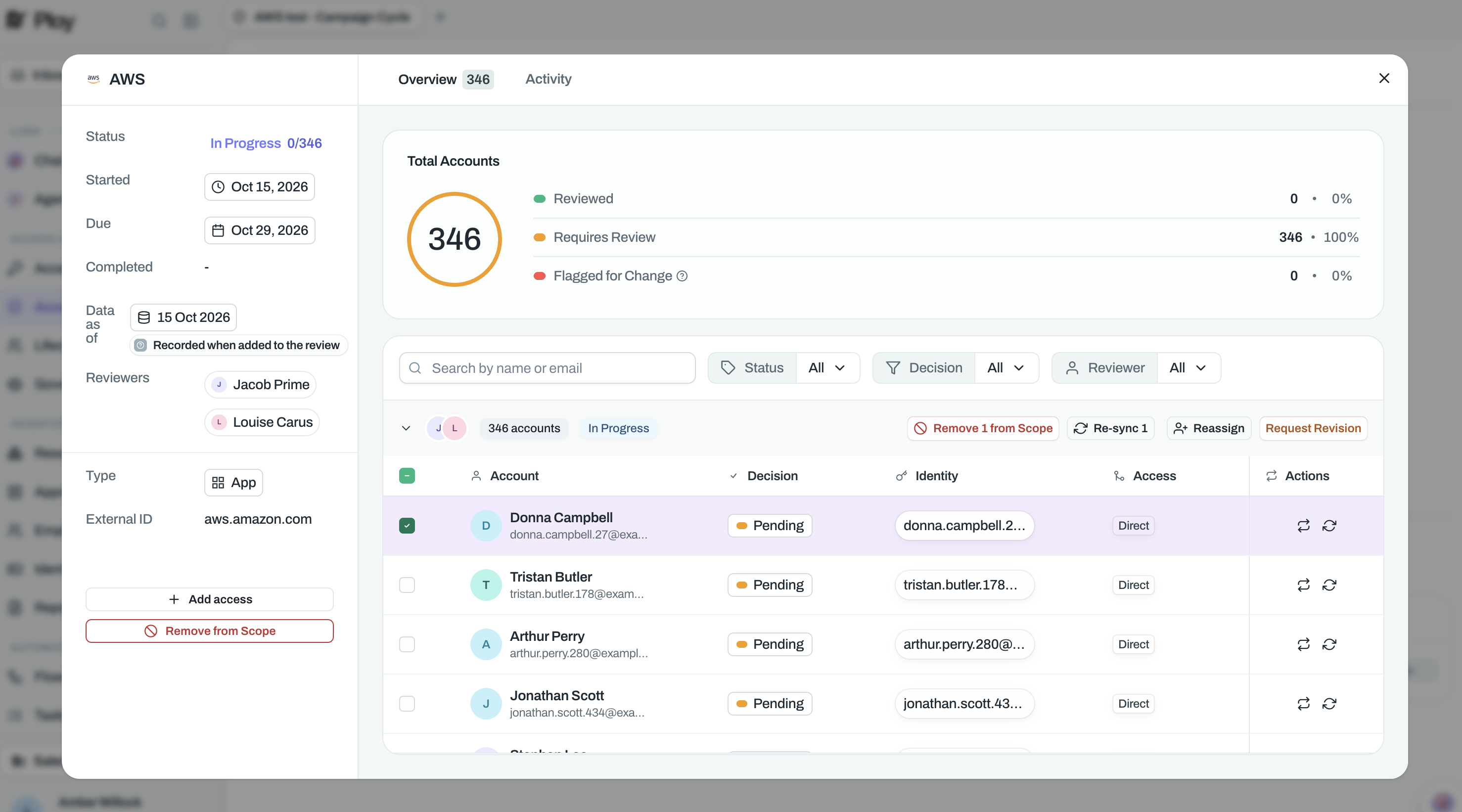
Select the person's rows in the review. Only rows with no decision can be removed; a row with an open query counts as undecided.
Click Remove from Scope.
In the dialog, write the Reason for removal. The confirm button stays disabled until you add a reason.
Confirm the removal.
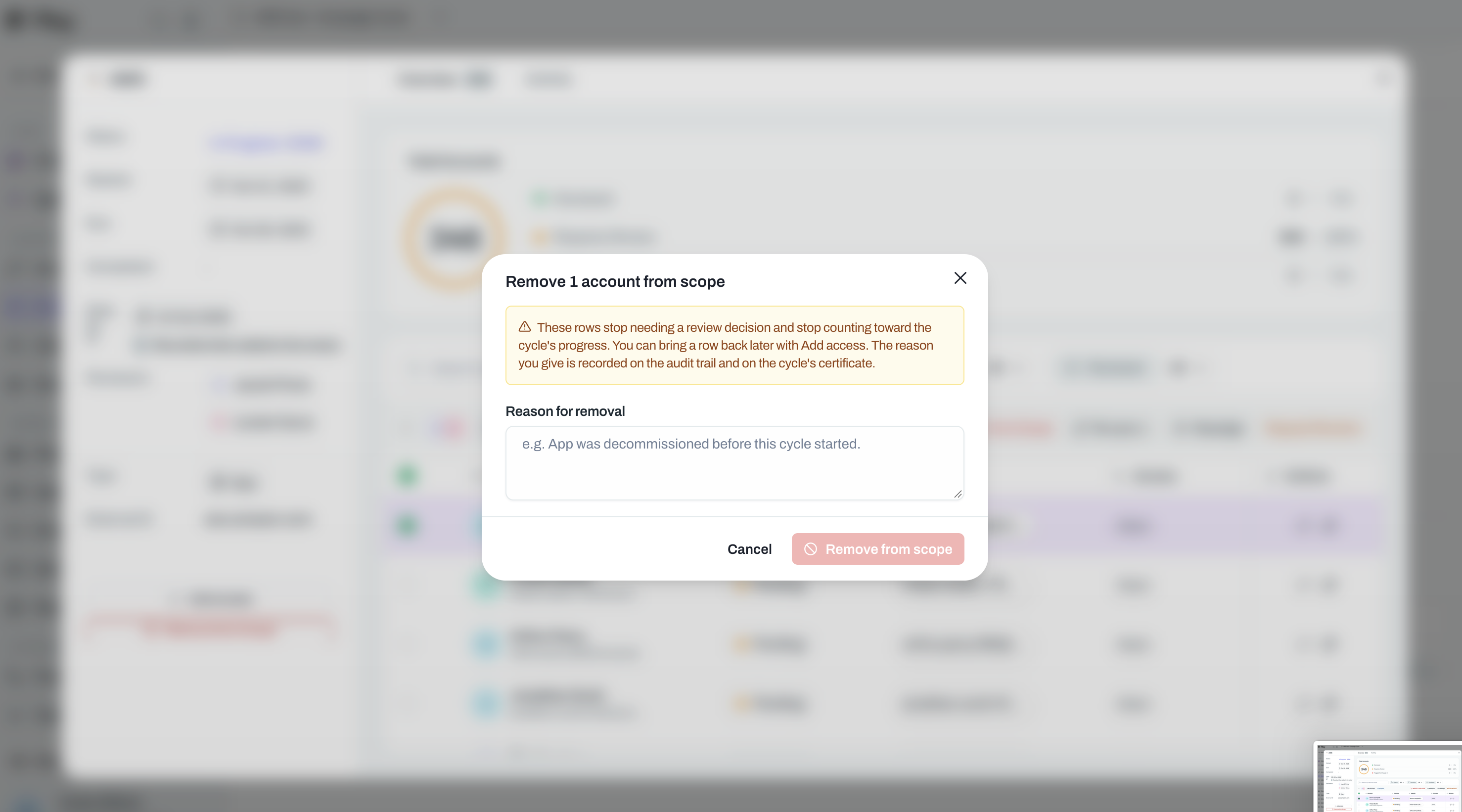
Each removed row shows Excluded. The reason is recorded on the audit trail and on the cycle's certificate, together with who removed the rows and when.
Excluded rows don't count toward progress totals and don't block the reviewer from submitting their set or the review and cycle completing.
If these were the last rows awaiting a decision and every reviewer has submitted, the review moves to Ready for Approval.
You can bring a removed row back later with Add access.
The request is rejected as a whole if any selected row already has a decision or is already removed from scope. Deselect those rows and try again.
A person's other rows stay in the review; remove each one separately.
Excluding an identity before the review launches is a different control, Leave out of this review in scope setup: it tags the identity Excluded and omits its account from the whole cycle, including resources added later. See Configure review scope and filters.
Resync a person's review data
Refresh a row when the underlying access has changed since the cycle started. Use Re-sync from current data on the row, or select several rows and click Re-sync above the list. The selection counter counts only the rows eligible to re-sync, and a bulk re-sync is capped at 500 rows.
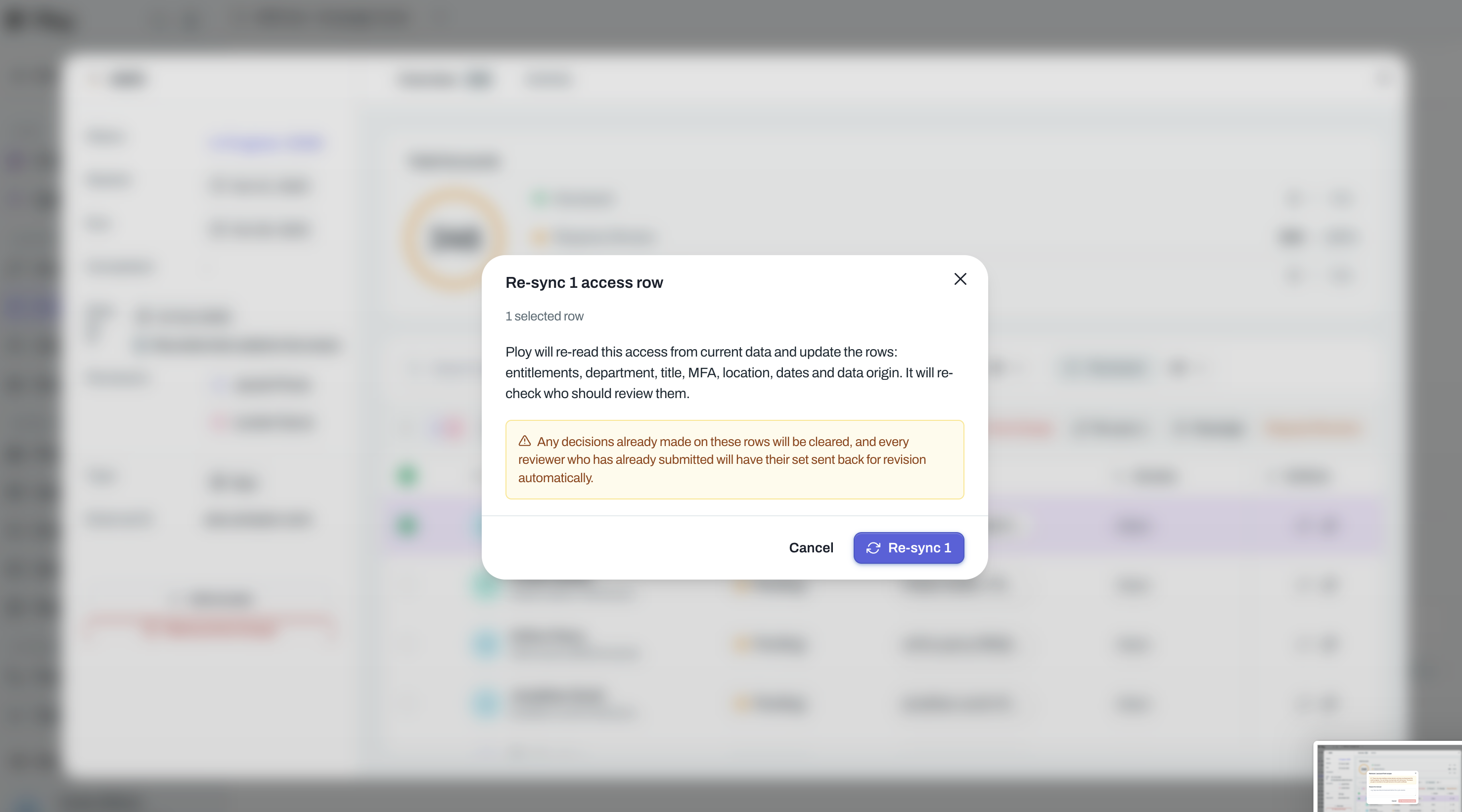
Re-sync re-reads the access from current data and updates the row's entitlements, department, title, MFA, location, dates, and data origin, then re-checks who should review it. It does not preserve decisions:
An existing decision on the row is cleared and the row returns to Requires review. An open query on the row stays open.
A row that no longer matches the cycle's scope filters is still refreshed rather than removed; Ploy records whether it matched the filters.
If the reviewer's set was already submitted, the set is sent back for revision so the reviewer sees the refreshed row. A bulk re-sync sends each affected set back once.
Re-sync clears any decision already made on the row, so a reviewer has to review it again.
Add a person to a review
Use Add access when the review missed access for someone Ploy already knows about, or to put back a row that was removed from scope. Ploy can't create access it doesn't hold: if the person's account itself is missing, a reviewer adds it through their Fix incorrect data menu instead, which is available only when the campaign allows data corrections. That flow is covered in Complete a review: reviewer guide.
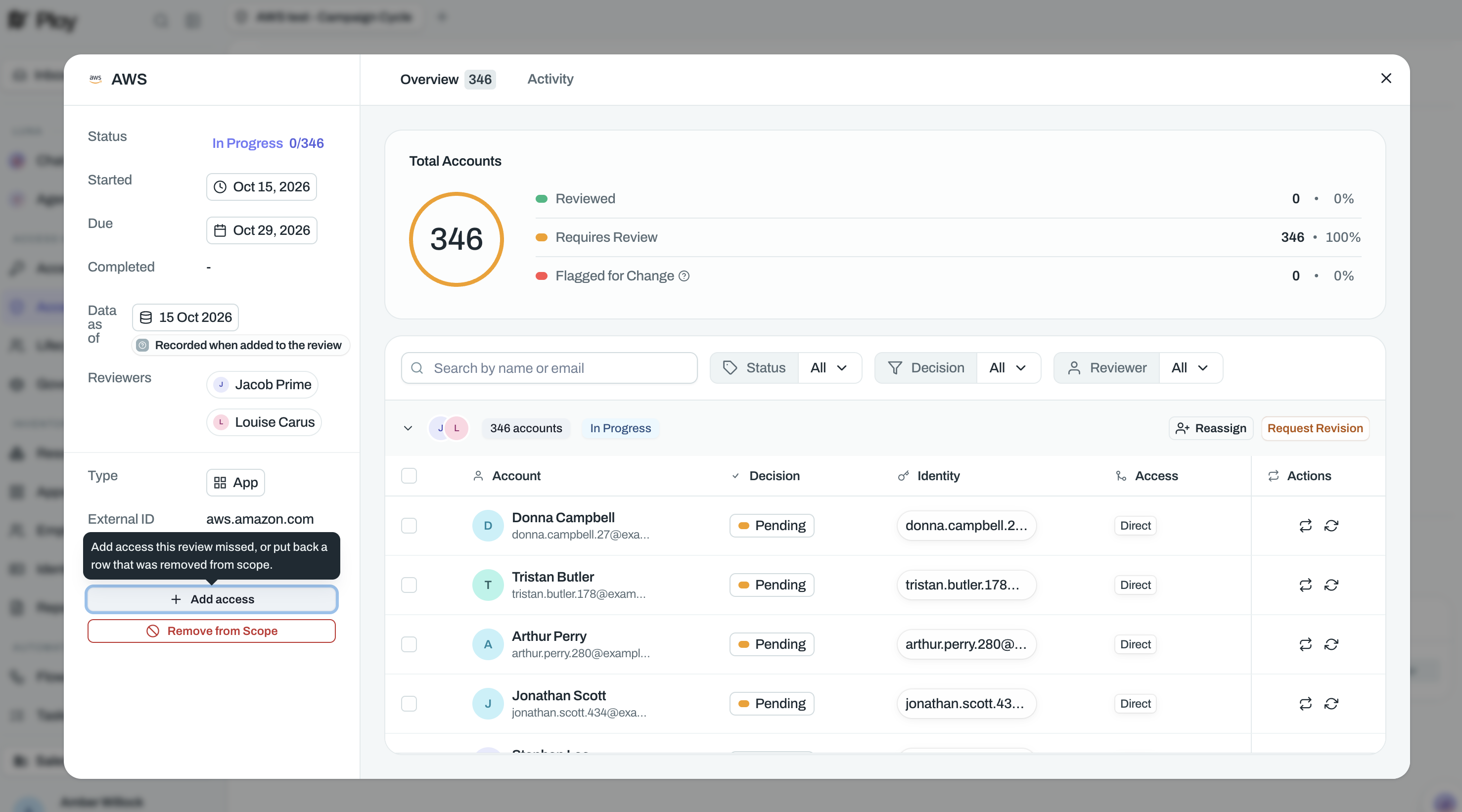
Open the review from its cycle page.
In the review's details sidebar, click Add access.
In Add access to this review, search by name, email, or identity and select one or more access rows. Rows previously removed from scope show removed from scope.
Check the person's identity, email, and entitlements, then click Add (or Add N for multiple rows).
The added row starts as Requires review and is routed by the review's reviewer assignment: it joins an existing set with a matching reviewer or starts a new set. If that reviewer's set was already submitted, the set is sent back for revision, and the dialog warns you before this happens.
The cycle's scope filters don't block adding access outside them; Ploy records whether the added row matched the filters.
A row that is already covered is refused: This account is already part of this review.
Other refusals name the cause: This access no longer exists in Ploy., This access is no longer active., This access is on a different resource from the review., or, in a combined review, This access is on a resource this combined review doesn't cover.