
Enforcement and manual overrides
Two settings in the builder sound alike and answer completely different questions.
Enforcement is what Ploy does when it finds access that contradicts the policy. E.g. when someone no longer meet's the 'who' conditions.
Manual overrides is what Ploy does when access doesn't contradict the policy, but their access doesn't match what the policy should say.
Both sit in the Revocation enforcement section, under a lead sentence that names the drift the effect you chose produces.
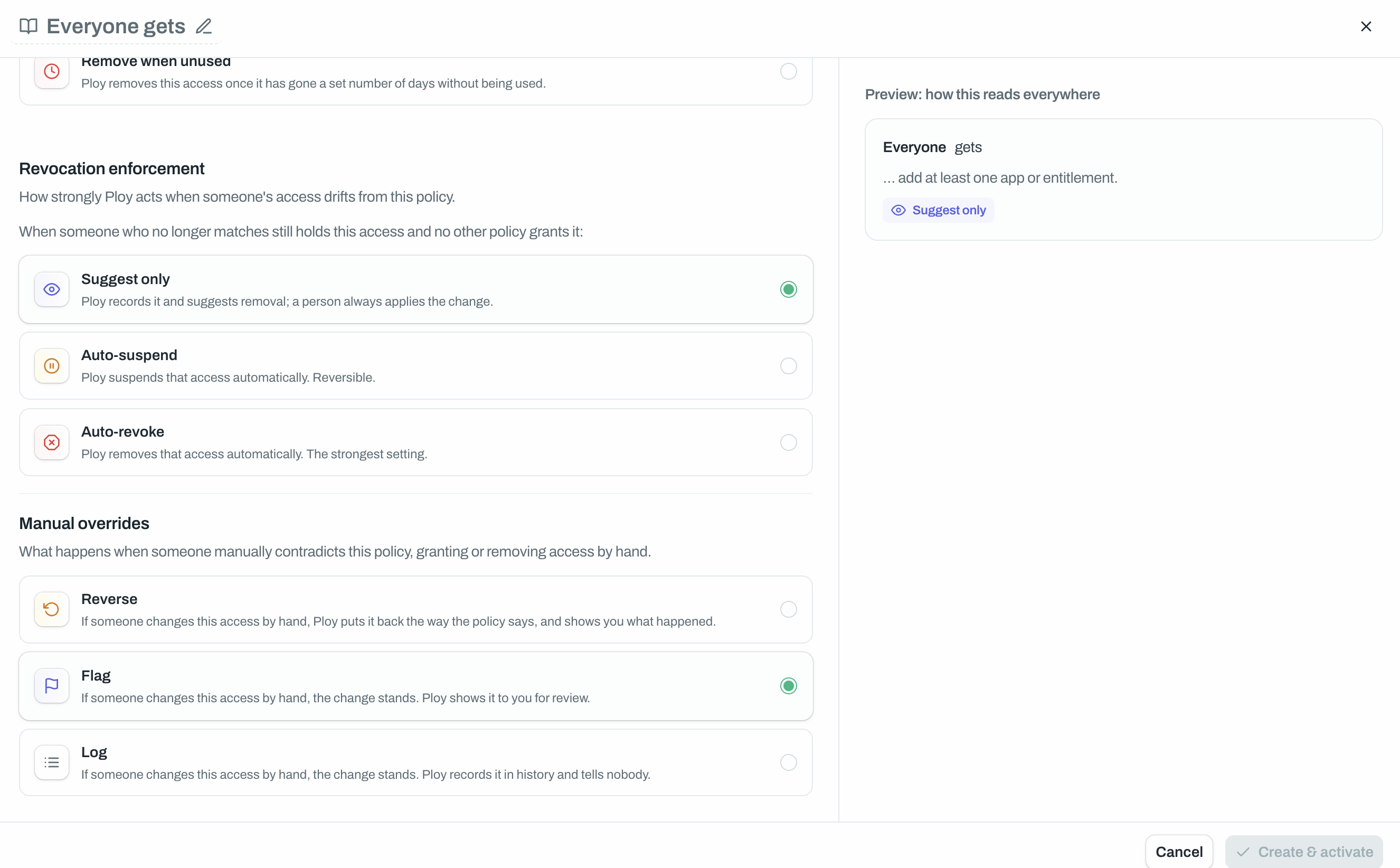
Enforcement: what Ploy does on its own
Setting | What it means |
|---|---|
Suggest only | Ploy records it and suggests removal. A person always applies the change. |
Auto-suspend | Ploy suspends that access automatically. Reversible. |
Auto-revoke | Ploy removes that access automatically. The strongest setting. |
Suggest only is the default, and it is not "do nothing": every finding lands in the suggested removals queue, on the Managed Access overview, under the Access tab and on the policy's own Suggested removals tab, waiting for a tick or a cross.
Remove when unused uses a two-word pair instead, Suggest removal and Remove automatically, because suspending has never been something the unused-access sweep does.
Can request and Can't request policies have no enforcement setting at all. They hold no access, so there is nothing to enforce.
Manual overrides: what Ploy does when a person contradicts it
Setting | What it means |
|---|---|
Reverse | Ploy puts it back the way the policy says, and shows you what happened. |
Flag | The change stands. Ploy shows it to you for review. |
Log | The change stands. Ploy records it in history and tells nobody. |
Flag is the default. This setting only ever fires in reaction to a deliberate action somebody took in Ploy: access a Gets policy hands out being stripped by hand, or access a Never gets policy forbids being granted by hand. Drift a scanner finds in the connected app is not an override and is never recorded as one.
The setting is not offered on Can request, Can't request or Remove when unused.
Where overrides show up
A policy with unresolved overrides carries an amber "{N} awaiting review" chip on its card and an extra Overridden tab in its drawer, introduced there with: "Access that someone changed by hand, against this policy. Restore puts it back the way the policy says; exempt keeps the manual change and stops the policy managing that pair."
Each row offers two buttons:
Restore access puts the policy back in charge. The row stays open until the re-grant or the removal actually lands in the app, not merely once Ploy has asked for it. Then it reads "Access restored".
Exempt from policy keeps the manual change for good and reads "Exempted from policy". This is permanent, and nothing automatic can ever reopen it.
Good to know
Two policies, one person, one app: the strongest enforcement governs. The order is Suggest only, then Auto-suspend, then Auto-revoke. You cannot soften a person's treatment by adding a gentler policy over the top.
Changing enforcement counts as touching everyone. An ordinary edit is measured by who joins or leaves the matched group, but an enforcement change is measured against every person the policy matches. On a large policy that alone can trip the confirmation prompt, which starts at 50 people.
Log is invisible on purpose. Those changes never appear on the Overridden tab and never notify anybody. They exist only in the policy's history.
Overridden is its own coverage slice. Access somebody kept by hand against a policy is counted as "Manually overridden" in the coverage ledger, deliberately separate from "Unexplained", so the two never hide each other.
Reverse is not instant. A re-application is tracked as its own operation, so a stale result from an earlier attempt can never close a row that a newer attempt is still working on.