
Verify you copied the full key from Incident.io. API keys start with inc_. Make sure no extra spaces were included when pasting.
Incident.io Integration
Connect Incident.io to Ploy to discover who has critical system access during incidents, grant time-bound emergency access to on-call engineers, and correlate incident response activities with access patterns for post-incident reviews.
Overview
Ploy surfaces your Incident.io users and on-call schedules, enabling you to understand who is responding to incidents and ensure they have the access they need. This helps you correlate incident response activities with access patterns and conduct post-incident access reviews.
What Ploy syncs
Incident.io users
On-call schedules and current shift data
Set up the integration
Before you begin: You'll need an Incident.io API key. The key must have permission to read users and schedules.
Get your Incident.io API key
Log in to your Incident.io dashboard.
Navigate to Settings.
Go to API Keys.
Create a new API key with read access to users and schedules.
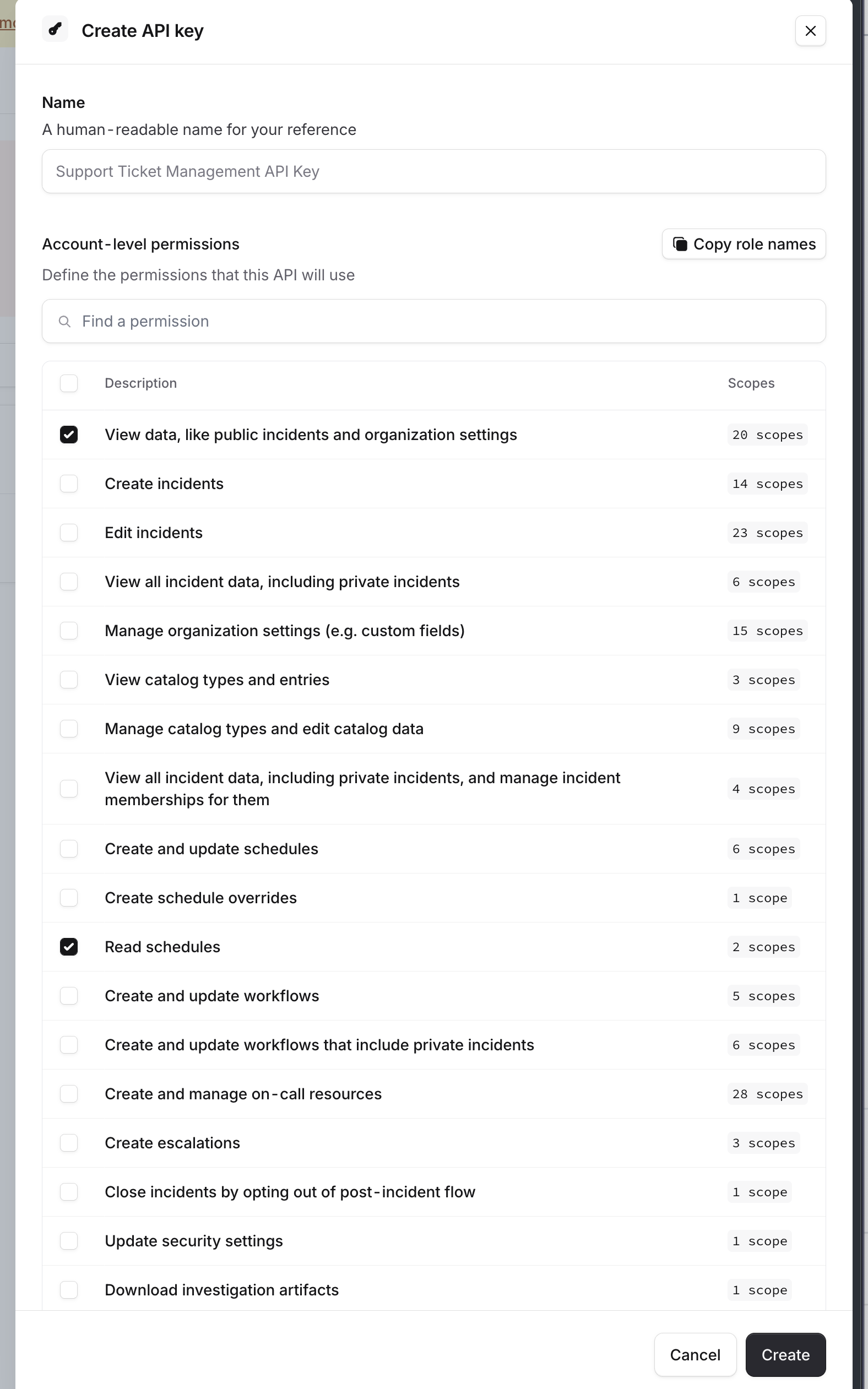
Copy the key — you'll need it for setup.
Connect Incident.io to Ploy
In Ploy, navigate to Integrations.
Find and select Incident.io from the catalog.
Paste your Incident.io API Key.
Click Connect.
Ploy will test the connection and begin syncing your Incident.io users and on-call schedules.
Troubleshooting
Invalid API key
API key does not have permission
Your API key lacks the required permissions. Confirm the key has read access to users and schedules in Incident.io.
Failed to authenticate with Incident.io
Check that your API key is valid and has not been revoked in Incident.io. Verify your Incident.io account is active.
Was this helpful?
Was this helpful?