
Requesting access in Slack and Teams
This guide is for Ploy admins who want to roll out self-service access requests to their business through Slack and Teams. It shows exactly what end users experience, so you can communicate the workflow to your team and verify your setup is ready.
What users see in Slack
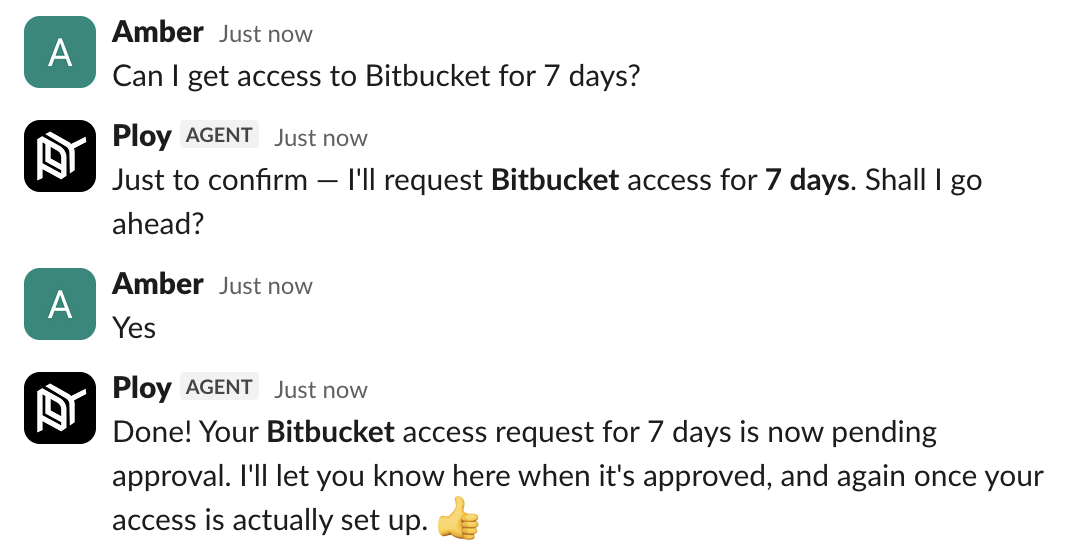
Once the Ploy bot is installed and invited to channels, employees can request access by messaging the bot in plain language. Here is the typical conversation flow:
The user messages the Ploy bot directly or in a channel, for example: "Can I get access to Confluence?"
The bot checks the catalog and replies with availability and any time limits, for example: "Confluence is available in your catalog. It's time-bound only, up to a maximum of 90 days. How long would you like access for?"
The user replies with a duration, for example: "60 days".
The bot confirms the details and asks for final approval: "Just to confirm — I'll request Confluence access for 60 days. Shall I go ahead?"
The user replies "Yes" or "Yes please" to submit the request.
After the request is approved, the bot sets up the access and notifies the user in the same thread when it is ready.
What users see in Teams
Teams is primarily used for approval notifications and alerts rather than initiating requests. When an access request needs someone's approval, the Ploy Teams bot delivers it directly to the approver's personal chat, a group chat, or a team channel.
The approver sees action buttons or links in the message and can approve or deny without leaving Teams. Teams also delivers reminders, task lists, and alerts for access reviews.
What to set up before rolling out
Before rolling this out to your business, make sure your Slack and Teams integrations are up to date. Outdated integrations may cause the bot to miss messages or fail to deliver approvals.
Ensure the Ploy bot is invited to the channel where employees will message it. If users try to interact with the bot in a channel it has not joined, it will not see their messages.
Access catalog set up — Access requests are fulfilled from Ploy's self-service access catalog. The apps and resources users can request are drawn from this catalog. Luna can automatically generate catalog structures, or admins can configure the catalogs they need. Generated catalogs start in draft before publishing, so make sure any required catalogs are published and visible to the right groups before employees start requesting.
Users will only see apps they are eligible to request based on access catalog's they have access to. If a user asks the Slack bot for an app that is not in the catalog or not available to them, the bot will respond accordingly.